Femmage de eliaspourquoi
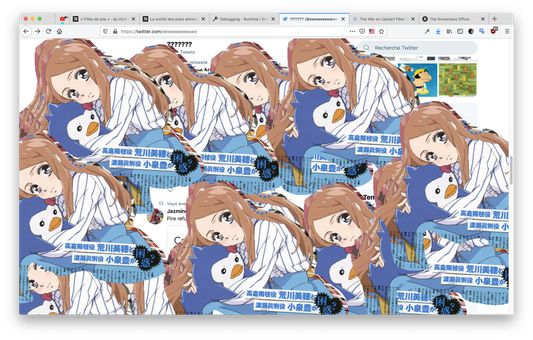
Make any web page a canvas to select, copy and paste anywhere else. Works using Shortcuts Keys.
Niciun utilizatorNiciun utilizator
Metadate extensie
Capturi de ecran
Despre această extensie
Works in any tabs, you can copy from a tab and paste in another tab, or in an other software, anywhere.
Ctrl/Cmd+D: Switch modes (Hidden, Clip and Paste)
Ctrl/Cmd+V (Paste mode): Paste any image into the screen and use the mouse to drag it over.
Ctrl/Cmd+C (Clip mode): Copy any clip you did using the mouse in clip mode.
Mouse-Left (Clip mode): Draw an area you want to select for copy.
Mouse-Left (Paste mode): Drag any image you paste from your clipboard.
Name Inspiration: https://fr.wikipedia.org/wiki/Femmage
Ctrl/Cmd+D: Switch modes (Hidden, Clip and Paste)
Ctrl/Cmd+V (Paste mode): Paste any image into the screen and use the mouse to drag it over.
Ctrl/Cmd+C (Clip mode): Copy any clip you did using the mouse in clip mode.
Mouse-Left (Clip mode): Draw an area you want to select for copy.
Mouse-Left (Paste mode): Drag any image you paste from your clipboard.
Name Inspiration: https://fr.wikipedia.org/wiki/Femmage
Evaluat cu 0 de către 0 recenzori
Permisiuni și date
Permisiuni necesare:
- Să introducă date în clipboard
- Să îți acceseze datele pentru toate site-urile web
Mai multe informații
- Linkurile suplimentului
- Versiune
- 0.1
- Mărime
- 85,99 KB
- Ultima actualizare
- 6 ani în urmă (27 iun. 2020)
- Categorii conexe
- Istoricul versiunilor
- Adaugă în colecție