Remote Switch for Pi-Hole de syoder
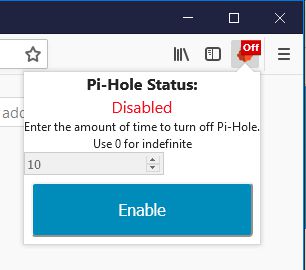
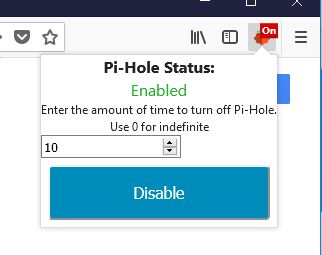
Remote Switch for Pi-Hole to enable and disable the server with the specified time provide by the user without having to open a new tab. No other installs are required
47 de utilizatori47 de utilizatori
Metadate extensie
Capturi de ecran
Despre această extensie
Select the amount of time you want to disable Pi-Hole for and press Disable. When it is disabled you are enable it by the button.
IMPORTANT: In order to make this work all you have to do is get the API key from the Pi-Hole server and enter it in the option page for the add-on. It will be in form of a QR code, use a phone and convert it to text, Or use "cat /etc/pihole/setupVars.conf | grep WEBPASSWORD=" on the server. There is no install needed on the server. If you try and Disable/enable and receive an "API Error", check the API key in the option page.
This is not an official Pi-Hole application.
Pi-hole® is a registered trademark of Pi-hole LLC” or “FTLDNS™ is a trademark of Pi-hole LLC
IMPORTANT: In order to make this work all you have to do is get the API key from the Pi-Hole server and enter it in the option page for the add-on. It will be in form of a QR code, use a phone and convert it to text, Or use "cat /etc/pihole/setupVars.conf | grep WEBPASSWORD=" on the server. There is no install needed on the server. If you try and Disable/enable and receive an "API Error", check the API key in the option page.
This is not an official Pi-Hole application.
Pi-hole® is a registered trademark of Pi-hole LLC” or “FTLDNS™ is a trademark of Pi-hole LLC
Evaluat cu 3,3 de către 18 recenzori
Permisiuni și date
Mai multe informații
- Linkurile suplimentului
- Versiune
- 1.1resigned1
- Mărime
- 24,79 KB
- Ultima actualizare
- 2 ani în urmă (25 apr. 2024)
- Categorii conexe
- Licență
- Licență MIT
- Istoricul versiunilor
- Adaugă în colecție