
Link Hints door lydell
Click with your keyboard.
569 gebruikers569 gebruikers
Metagegevens van extensie
Schermafbeeldingen
Over deze extensie
Have a bad touchpad? Trouble using a mouse? Love keyboard shortcuts?
Link Hints is a browser extension that complements the built-in keyboard shortcuts with ones for clicking.
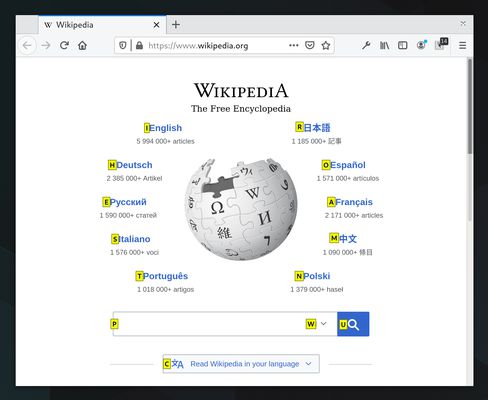
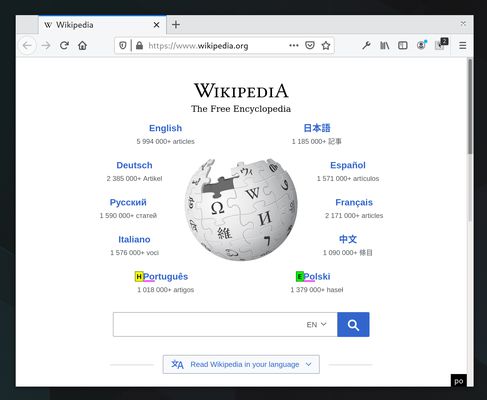
Press Alt+J (Ctrl+J on macOS). This makes little yellow boxes with letters, called hints, appear next to links (and other clickable things). Type the letters to click the link. Alternatively, hold Shift and type a bit of the link text.
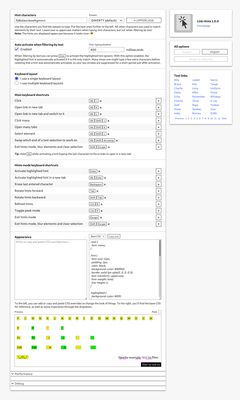
The keyboard shortcuts and hints are fully customizable.
Alt+J: Click links, buttons, etc.
Alt+K: Open link in new tab.
Alt+L: Open link in new tab and switch to it.
Alt+Shift+J: Click many things.
Alt+Shift+K: Open many links.
Alt+Shift+L: Select element.
See the home page for more information: https://lydell.github.io/LinkHints/
Link Hints is a browser extension that complements the built-in keyboard shortcuts with ones for clicking.
Press Alt+J (Ctrl+J on macOS). This makes little yellow boxes with letters, called hints, appear next to links (and other clickable things). Type the letters to click the link. Alternatively, hold Shift and type a bit of the link text.
The keyboard shortcuts and hints are fully customizable.
Alt+J: Click links, buttons, etc.
Alt+K: Open link in new tab.
Alt+L: Open link in new tab and switch to it.
Alt+Shift+J: Click many things.
Alt+Shift+K: Open many links.
Alt+Shift+L: Select element.
See the home page for more information: https://lydell.github.io/LinkHints/
Met 4,8 gewaardeerd door 30 beoordelaars
Toestemmingen en gegevens
Vereiste machtigingen:
- Uw gegevens voor alle websites benaderen
Gegevensverzameling:
- De ontwikkelaar zegt dat deze extensie geen gegevensverzameling vereist.
Meer informatie
- Add-on-koppelingen
- Versie
- 1.4.0
- Grootte
- 164,05 KB
- Laatst bijgewerkt
- 2 maanden geleden (21 aug. 2026)
- Verwante categorieën
- Licentie
- MIT-licentie
- Versiegeschiedenis
- Toevoegen aan collectie