
DropFromClipboard door ItsZariep
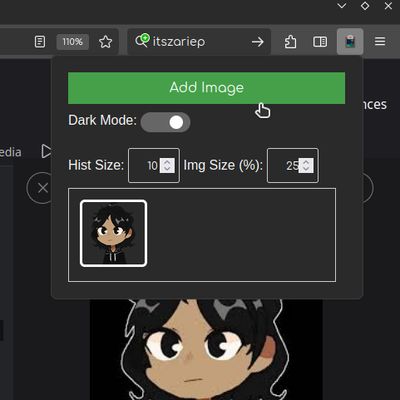
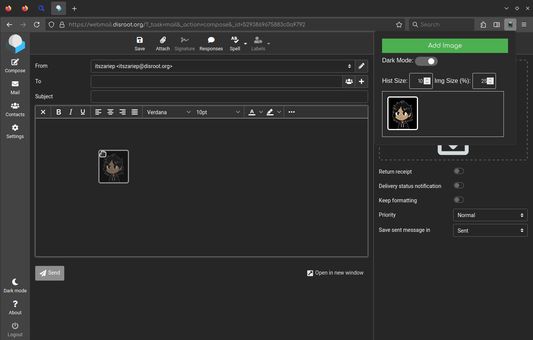
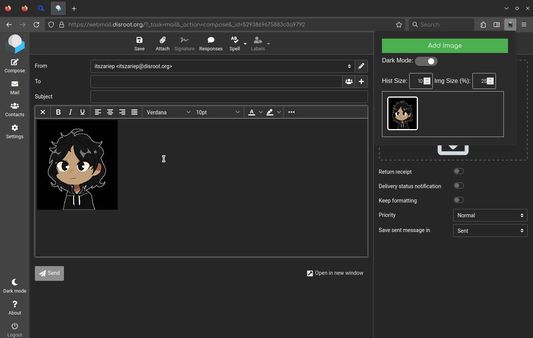
Display images from the clipboard to drop into a webpage.
6 gebruikers6 gebruikers
Metagegevens van extensie
Schermafbeeldingen
Over deze extensie
Display images from the clipboard to drop into a webpage.
# Features
- Image history
- Save up to 64 images in history.
- Change view zoom
- Useful if you have many images.
- Change history size
- If you don't need a large history, you can limit it or turn it off.
- Persistent data
- You can close the browser, and when you reopen it, your images will still be there.
- Dark/Light themes
- ---
> [!NOTE]
> This extensions may require external setup: Open about:config and set
> [!NOTE]
> On some webpages, it is not possible to drag and drop images from this extension due to website internal logic. Unfortunately, there isn't much I can do about this. However, since the images are visible in the UI, you can right-click and quickly download the copied image, which is faster than going back and searching for the image source.
# Features
- Image history
- Save up to 64 images in history.
- Change view zoom
- Useful if you have many images.
- Change history size
- If you don't need a large history, you can limit it or turn it off.
- Persistent data
- You can close the browser, and when you reopen it, your images will still be there.
- Dark/Light themes
- ---
> [!NOTE]
> This extensions may require external setup: Open about:config and set
dom.events.dataTransfer.imageAsFile.enabled as true> [!NOTE]
> On some webpages, it is not possible to drag and drop images from this extension due to website internal logic. Unfortunately, there isn't much I can do about this. However, since the images are visible in the UI, you can right-click and quickly download the copied image, which is faster than going back and searching for the image source.
Met 0 gewaardeerd door 0 beoordelaars
Toestemmingen en gegevens
Vereiste machtigingen:
- Gegevens van het klembord ophalen
- Uw gegevens voor alle websites benaderen
Meer informatie
- Versie
- 1.20
- Grootte
- 28,29 KB
- Laatst bijgewerkt
- 5 maanden geleden (17 mei 2026)
- Verwante categorieën
- Versiegeschiedenis
- Toevoegen aan collectie
- Open
about:config- Set
dom.events.dataTransfer.imageAsFile.enabledtotrue