Ezproxy Switcher 제작자: cywu
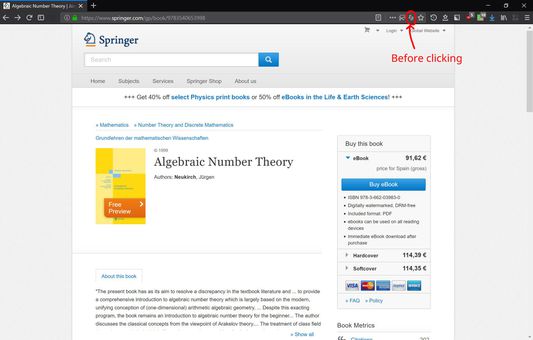
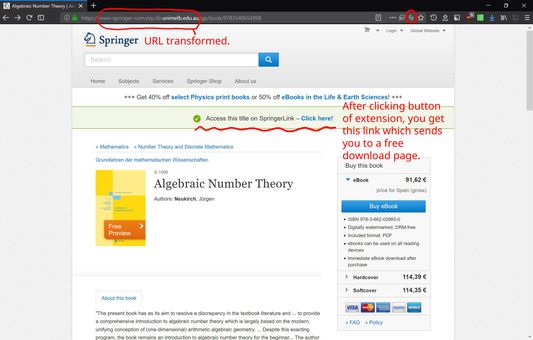
To access academic papers on some sites, sometimes one is required to go through one's institute's ezproxy. Click the icon in the address bar to quickly switch between ezproxied URL and non-ezproxied URL.
사용자 7명사용자 7명
확장 메타 데이터
스크린샷
정보
First fill in your institute's ezproxy address in Options. Then click the button in the address bar (or in the menu on Android) to quickly switch between ezproxied URL and non-ezproxied URL. The extension only transforms the URL. You will be connected to your institute's ezproxy server. If you are already logged in on your institute's network, then feast your eye on the paper you want to download. If you are not logged in, your institute will ask you to log in and you can feast afterwards. Credential with the institute is generally required to use its ezproxy.
리뷰어 0명이 0점으로 평가함
추가 정보
- 부가 기능 링크
- 버전
- 1.0.2
- 크기
- 10.89 KB
- 최근 업데이트
- 7년 전 (2019년 10월 31일)
- 관련 카테고리
- 버전 목록
- 모음집에 추가