
psc 제작자: veu
page's style changer
사용자 없음사용자 없음
확장 메타 데이터
스크린샷
정보
page's style changer
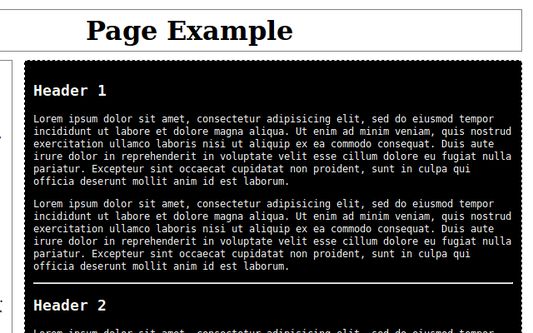
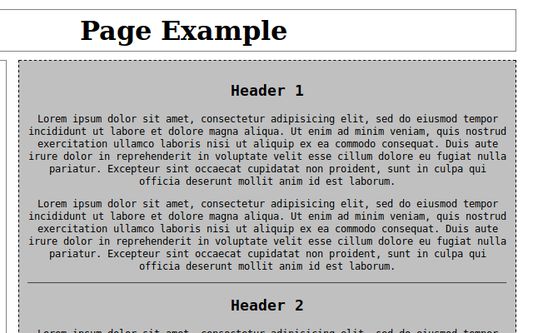
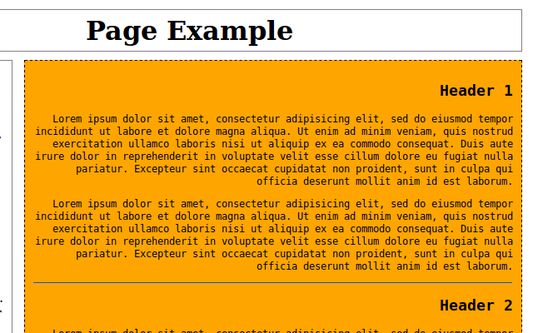
enables to change a style of selected page's element
how to use it
- right click on a web page's element
- in context menu go to 'psc' and select "choose an element..."
- a box with elements that correspond to the website's elements appears
- choose an element
- change options and styles or change an element using actions on toolbar popup box or using keyboard shortcuts
enables to change a style of selected page's element
how to use it
- right click on a web page's element
- in context menu go to 'psc' and select "choose an element..."
- a box with elements that correspond to the website's elements appears
- choose an element
- change options and styles or change an element using actions on toolbar popup box or using keyboard shortcuts
0명이 0점으로 평가함
권한 및 데이터
추가 정보
- 버전
- 1.7
- 크기
- 89.86 KB
- 마지막 업데이트
- 6년 전 (2020년 1월 14일)
- 관련 카테고리
- 버전 목록
- 모음집에 추가