Traverse TECHNIA sɣur Pallav Gupta
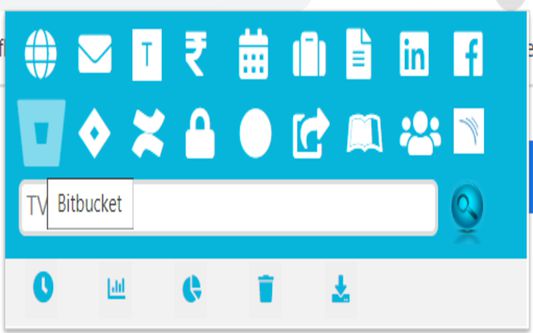
Navigate to all the content , Manage JIRA and Monitor,export the time spent
2 yiseqdacen2 yiseqdacen
Asiɣzef aɣefisefka
Tuṭṭfiwin n wegdil
Ɣef usiɣzef agi
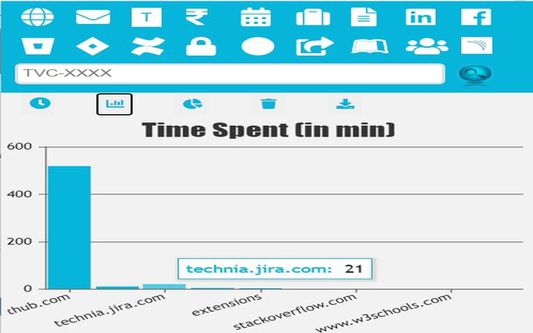
Easy Access to URLs,Manage JIRA and Hassle-free access to monitor your daily time on the browser with functions such as chart view, pie-view or even download and delete the data.
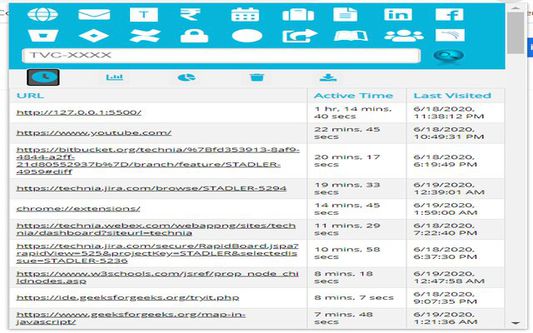
1.) Button Monitor time will load a table which displays URLS, Active Time Spent on these URLs and Last Visited date on the URL.
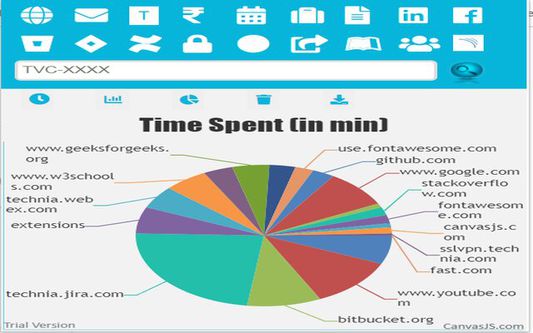
2.) Button Chart-Bar/Pie-Chart will display the data of time spent across different tabs in chrome in form of a bar-chart.
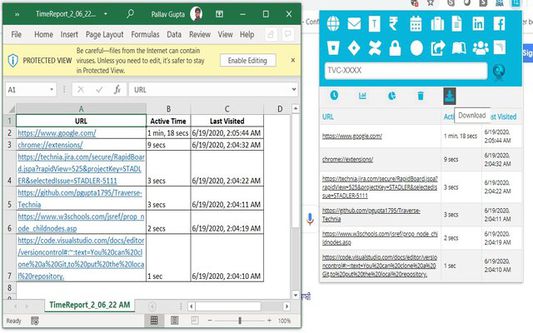
3.) Button DELETE and EXPORT will delete and export the entire table/chart.
1.) Button Monitor time will load a table which displays URLS, Active Time Spent on these URLs and Last Visited date on the URL.
2.) Button Chart-Bar/Pie-Chart will display the data of time spent across different tabs in chrome in form of a bar-chart.
3.) Button DELETE and EXPORT will delete and export the entire table/chart.
Hassle-free access to monitor your daily time on the browser with functions such as chart view, pie-view or even download and delete the data
Rated 5 by 1 reviewer
Tisirag akked yisefka
Ugar n telɣut
- TigIseɣwan n uzegrir
- Lqem
- 1.0.0.4
- Teɣzi
- 749,93 KB
- Aleqqem aneggaru
- 6 ani în urmă (6 iul. 2020)
- Taggayin i ilan assaɣ
- Amazray n Lqem
- Rnu ar tegrumma