Print PDF sɣur Senthil Ponnusamy
Print any Webpage to PDF. No server or third-party processing. Uses built-in Firefox converter.
1 698 yiseqdacen1 698 yiseqdacen
Asiɣzef aɣefisefka
Tuṭṭfiwin n wegdil
Ɣef usiɣzef agi
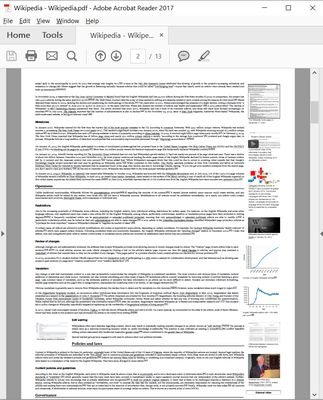
You can print/save any webpage to PDF by any of the following methods.
- A Single click on the icon.
- Keyboard Shortcut - Ctrl+Alt+P.
- You can customize the shortcut.
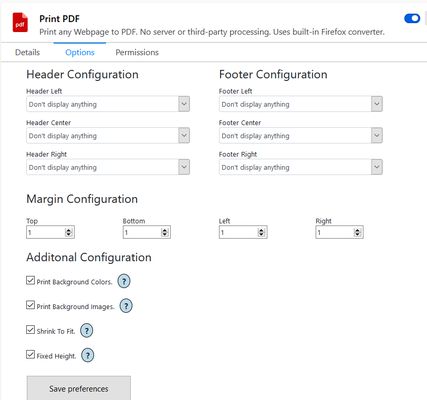
In the configuration panel, you can configure the following-
- Page margins.
- Page header/footer.
- Include or exclude Background images.
- Include or exclude Background color.
- Shrink to one page PDF.
- Fixed Height for longer pages.
- Default configuration will just work.
- A Single click on the icon.
- Keyboard Shortcut - Ctrl+Alt+P.
- You can customize the shortcut.
In the configuration panel, you can configure the following-
- Page margins.
- Page header/footer.
- Include or exclude Background images.
- Include or exclude Background color.
- Shrink to one page PDF.
- Fixed Height for longer pages.
- Default configuration will just work.
Rated 3,5 by 15 reviewers
Ugar n telɣut
- TigIseɣwan n uzegrir
- Lqem
- 2.0
- Teɣzi
- 98,5 KB
- Aleqqem aneggaru
- 3 år siden (16. feb. 2023)
- Taggayin i ilan assaɣ
- Turagt
- Akk izerfan ttwaḥerzen
- Amazray n Lqem
- Rnu ar tegrumma
Aneflay n usiɣzef-agi isutur-ak-d tallelt akken ad iseddu taneflit ines ticki tmuddeḍ-as cwiṭ n tewsa.