Fullscreen Google Meet sɣur Thomas Brillion
View Screenshare in full screen on Google Meet without losing built-in functionalities
8 yiseqdacen8 yiseqdacen
Asiɣzef aɣefisefka
Tuṭṭfiwin n wegdil
Ɣef usiɣzef agi
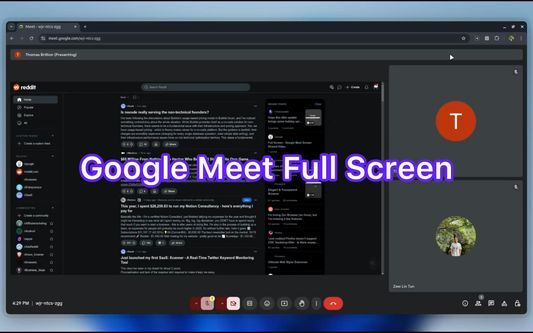
This extension allows you to view ScreenShare in Full Screen on Google Meet.
Features:
- There are two modes: Default and Full.
In Default mode, you still have access to built-in Google Meet functionalities such as emoji, side bar actions. In Full mode, the screen is stretched in maximum size.
- It is responsive when you use built-in Google Meet functionalities.
- It is compatible with built-in Browser Full Screen.
- Use "Meta" key + "F" ( Windows key + F or Command key + F ) to toggle and Esc to reset the full-screen.
Features:
- There are two modes: Default and Full.
In Default mode, you still have access to built-in Google Meet functionalities such as emoji, side bar actions. In Full mode, the screen is stretched in maximum size.
- It is responsive when you use built-in Google Meet functionalities.
- It is compatible with built-in Browser Full Screen.
- Use "Meta" key + "F" ( Windows key + F or Command key + F ) to toggle and Esc to reset the full-screen.
Rated 0 by 0 reviewers
Tisirag akked yisefka
Ugar n telɣut
- TigIseɣwan n uzegrir
- Lqem
- 0.0.1
- Teɣzi
- 89,68 KB
- Aleqqem aneggaru
- pred rokom (21. dec 2024)
- Taggayin i ilan assaɣ
- Turagt
- Akk izerfan ttwaḥerzen
- Amazray n Lqem
- Rnu ar tegrumma