TwitchTime per swpease
Track how long you have watched different Twitch channels. Keeps a list of top channels and optionally show a time indicator.
158 Usatores158 Usatores
Metadatos del extension
Capturas de schermo
A proposito de iste extension
TwitchTime has two primary features:
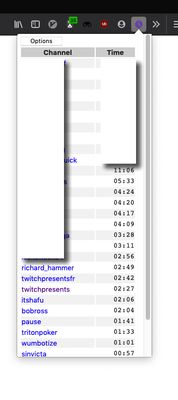
By clicking on the TwitchTime icon in your menu bar (purple clock in the top right of your browser), you can:
Purpose: TwitchTime was created with the intention of providing a metric to use for monetarily supporting channels. Of course you might simply be curious how long you've watched Bob Ross.
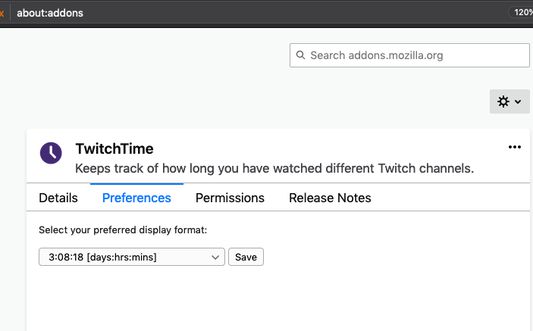
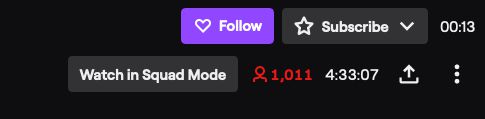
- Custom display your time spent watching a channel.
- A table of your most viewed channels.
By clicking on the TwitchTime icon in your menu bar (purple clock in the top right of your browser), you can:
- See the table of streams you've watched for at least 30 minutes.
- Customize the display by clicking on the "Options" button.
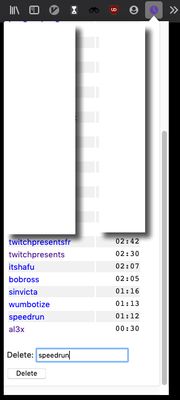
- Remove a channel with the "Delete" input.
- Remove all channels with the "Delete All" input.
- Your storage can fill up, so if new channels aren't registering, you might need to delete some / all of your times.
- Your watch times should sync across your devices.
- TwitchTime does not support mobile viewing.
Purpose: TwitchTime was created with the intention of providing a metric to use for monetarily supporting channels. Of course you might simply be curious how long you've watched Bob Ross.
Evalutate 4,3 per 8 recensentes
Permissiones e datos
Plus de informationes
- Ligamines del additivo
- Version
- 1.10
- Dimension
- 30,72 KB
- Ultime actualisation
- pred 4 rokmi (10. feb 2022)
- Categorias associate
- Historia de versiones
- Adder al collection