PassEye | Revealing passwords per Sineway
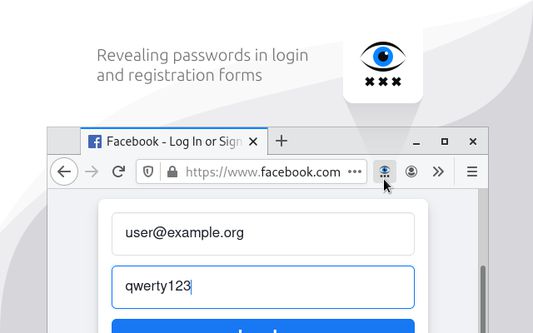
Revealing passwords in login and registration forms
97 Usatores97 Usatores
Metadatos del extension
Capturas de schermo
A proposito de iste extension
§ 1. How to use
- Click the toolbar icon
- Or use keyboard shortcut «Alt+Shift+R»
- Or open the context menu by hovering over the password field and select «Reveal password»
§ 2. How it works
When you run the extension, it finds all the standard <input type=password> elements on the page and changes the value of the type attribute.
§ 3. Limitations
- Special pages where extensions cannot work.
- Form in <iframe> from another website (cross-site security policy).
- Password field implemented without <input type=password> element.
- Click the toolbar icon
- Or use keyboard shortcut «Alt+Shift+R»
- Or open the context menu by hovering over the password field and select «Reveal password»
§ 2. How it works
When you run the extension, it finds all the standard <input type=password> elements on the page and changes the value of the type attribute.
§ 3. Limitations
- Special pages where extensions cannot work.
- Form in <iframe> from another website (cross-site security policy).
- Password field implemented without <input type=password> element.
Evalutate 5 per 7 recensentes
Plus de informationes
- Ligamines del additivo
- Version
- 3.2.0
- Dimension
- 29,8 KB
- Ultime actualisation
- 4 ani în urmă (12 apr. 2022)
- Categorias associate
- Licentia
- Tote le derectos es reservate
- Historia de versiones
- Adder al collection