
Email Magic per Mahesh Valu
Name: Email Magic – Smart Email Scheduler & Task Automator Version: 1.1 Platform: Firefox Description: Email Magic is a smart browser extension that transforms your email inbox into an intelligent productivity hub.
Nulle usatoresNulle usatores
Metadatos del extension
Capturas de schermo

A proposito de iste extension
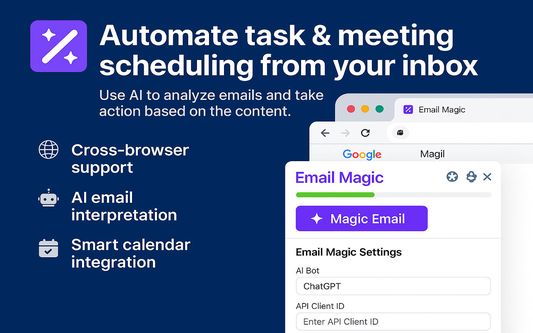
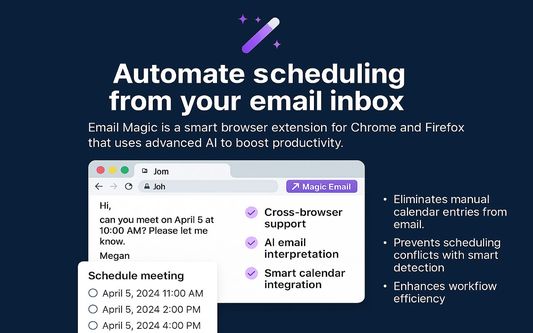
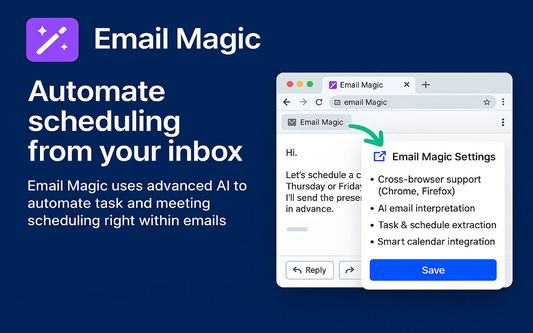
Email Magic is a smart browser extension developed for Google Chrome that automates task and meeting scheduling directly from your email inbox. Designed to enhance productivity, this tool uses advanced AI capabilities to interpret email content and take intelligent actions based on the message context.
Key Features:
Cross-Browser Support: Works seamlessly with both Chrome and Firefox.
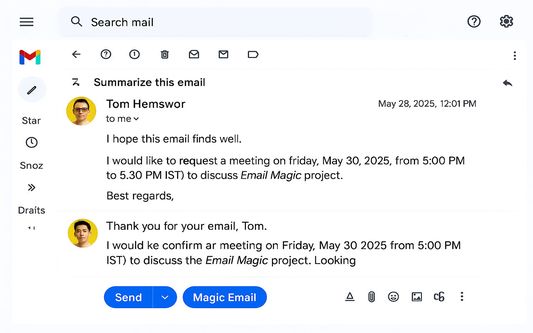
AI Email Interpretation: On clicking the "Magic Email" button, the extension reads the content of the
selected email using integrated AI models (ChatGPT and Gemini via API keys).
Task & Schedule Extraction: The AI analyzes the email to identify actionable items such as:
- Meeting scheduling requests
- Estimated Time of Arrival (ETA) inquiries
- Other task deadlines or completion requirements
Smart Calendar Integration:
- Checks Google Calendar for existing meetings.
- If a proposed meeting time already exists, it detects and warns about duplicate scheduling.
- If no slot is available, it suggests the next 2–3 available time slots.
- Automatically schedules meetings and logs task details in Google Calendar if a slot is accepted.
Technology Stack:
- JavaScript/TypeScript (for browser extension logic)
- Google Calendar API
- OpenAI GPT (ChatGPT) and Google Gemini APIs for email analysis
- OAuth for secure Google Calendar access
Benefits:
- Eliminates manual calendar entries from email.
- Prevents scheduling conflicts with smart detection.
- Enhances workflow efficiency by bridging AI and calendar automation.
How to Set Up Google OAuth Credentials (Required for Gmail & Calendar Access)
Follow these steps to configure secure access via Google Cloud:
Step 1: Create a Google Cloud Project
1. Go to the Google Cloud Console.
2. Click the project dropdown at the top ➝ “New Project”.
3. Set a project name, e.g., Email Magic, and click Create.
Step 2: Enable Required APIs
In the left menu:
1. Go to APIs & Services > Library.
2.Search and enable these APIs:
- Gmail API
- Google Calendar API
Step 3: Configure OAuth Consent Screen
1. Navigate to APIs & Services > OAuth consent screen.
2. Choose User Type:
- External – for personal Gmail or public use
- Internal – for Google Workspace users only
3.Click Create and provide:
- App Name: Email Magic
- User Support Email and Developer Email
Step 4: Create OAuth 2.0 Credentials (Client ID)
1. Go to APIs & Services > Credentials.
2. Click Create Credentials > OAuth client ID.
3. Choose:
- Application Type: Web application
- Name: Email Magic Web Client
4. Under Authorized Redirect URIs, add:
https://yourdomain.com/oauth2callback
5. Click Create.
Step 5: Save the Credentials
After creation, Google will show your:
- Client ID
- Client Secret
Key Features:
Cross-Browser Support: Works seamlessly with both Chrome and Firefox.
AI Email Interpretation: On clicking the "Magic Email" button, the extension reads the content of the
selected email using integrated AI models (ChatGPT and Gemini via API keys).
Task & Schedule Extraction: The AI analyzes the email to identify actionable items such as:
- Meeting scheduling requests
- Estimated Time of Arrival (ETA) inquiries
- Other task deadlines or completion requirements
Smart Calendar Integration:
- Checks Google Calendar for existing meetings.
- If a proposed meeting time already exists, it detects and warns about duplicate scheduling.
- If no slot is available, it suggests the next 2–3 available time slots.
- Automatically schedules meetings and logs task details in Google Calendar if a slot is accepted.
Technology Stack:
- JavaScript/TypeScript (for browser extension logic)
- Google Calendar API
- OpenAI GPT (ChatGPT) and Google Gemini APIs for email analysis
- OAuth for secure Google Calendar access
Benefits:
- Eliminates manual calendar entries from email.
- Prevents scheduling conflicts with smart detection.
- Enhances workflow efficiency by bridging AI and calendar automation.
How to Set Up Google OAuth Credentials (Required for Gmail & Calendar Access)
Follow these steps to configure secure access via Google Cloud:
Step 1: Create a Google Cloud Project
1. Go to the Google Cloud Console.
2. Click the project dropdown at the top ➝ “New Project”.
3. Set a project name, e.g., Email Magic, and click Create.
Step 2: Enable Required APIs
In the left menu:
1. Go to APIs & Services > Library.
2.Search and enable these APIs:
- Gmail API
- Google Calendar API
Step 3: Configure OAuth Consent Screen
1. Navigate to APIs & Services > OAuth consent screen.
2. Choose User Type:
- External – for personal Gmail or public use
- Internal – for Google Workspace users only
3.Click Create and provide:
- App Name: Email Magic
- User Support Email and Developer Email
Step 4: Create OAuth 2.0 Credentials (Client ID)
1. Go to APIs & Services > Credentials.
2. Click Create Credentials > OAuth client ID.
3. Choose:
- Application Type: Web application
- Name: Email Magic Web Client
4. Under Authorized Redirect URIs, add:
https://yourdomain.com/oauth2callback
5. Click Create.
Step 5: Save the Credentials
After creation, Google will show your:
- Client ID
- Client Secret
Evalutate 0 per 0 recensentes
Permissiones e datos
Plus de informationes
- Ligamines del additivo
- Version
- 1.1.2
- Dimension
- 55,11 KB
- Ultime actualisation
- një vit më parë (12 Qer 2025)
- Categorias associate
- Licentia
- Licentia public Mozilla 2.0
- Historia de versiones
- Adder al collection