
Items.com par Developers
items.com Amazing Offers & Coupons. It's all about the discount & cashback!
1 utilisateur·trice1 utilisateur·trice
Métadonnées de l’extension
Captures d’écran
À propos de cette extension
items.com Amazing Offers & Coupons. It's all about the discount & cashback!
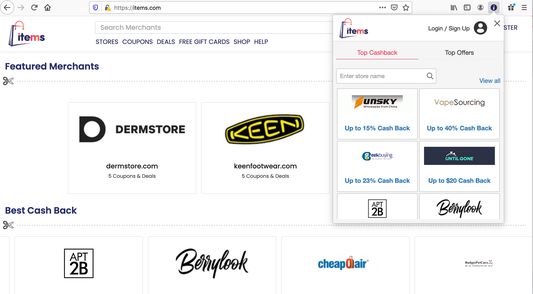
Items.com makes users online shopping experience much easier.It finds and applies the right coupon code automatically for every online users.
Users no need to look for coupon codes and sales. Items does it for you automatically!
Items.com let users to discover everything about their favorite products on online merchants websites .
By clicking the "Add To Firefox" button and activating the Items.com add-on, you are agreeing to Items.com's Terms of Agreement (found here: https://www.items.com/terms), its Privacy Policy (found here: https://www.items.com/privacy and License Agreement (https://items.com/license).
To remove the add-on from your firefox browser, please use the below directions.
For assistance, please contact this email address: developers@items.com
1) Find the Add-Ons Settings in the top right of your Firefox web browser.
2) Look for the three dots for items.com add-on and click to find Remove option.
3) You can restart your browser in order for the changes to take effect and the extension to be uninstalled.
Items.com makes users online shopping experience much easier.It finds and applies the right coupon code automatically for every online users.
Users no need to look for coupon codes and sales. Items does it for you automatically!
Items.com let users to discover everything about their favorite products on online merchants websites .
By clicking the "Add To Firefox" button and activating the Items.com add-on, you are agreeing to Items.com's Terms of Agreement (found here: https://www.items.com/terms), its Privacy Policy (found here: https://www.items.com/privacy and License Agreement (https://items.com/license).
To remove the add-on from your firefox browser, please use the below directions.
For assistance, please contact this email address: developers@items.com
1) Find the Add-Ons Settings in the top right of your Firefox web browser.
2) Look for the three dots for items.com add-on and click to find Remove option.
3) You can restart your browser in order for the changes to take effect and the extension to be uninstalled.
Noté 1 par 1 personne
Autorisations et données
Autorisations nécessaires :
- Accéder aux onglets du navigateur
- Accéder à vos données pour tous les sites web
Plus d’informations
- Liens du module
- Version
- 2.10
- Taille
- 475,01 Ko
- Dernière mise à jour
- il y a 3 ans (6 avr. 2023)
- Catégories associées
- Licence
- Mozilla Public License 2.0
- Politique de confidentialité
- Lire la politique de confidentialité de ce module
- Historique des versions
- Ajouter à la collection