Cloud Firewall par Nikisoft Systems
Block connections to pages and web resources hosted in major cloud services if the user wishes to do so. Supports blocking Google, Amazon, Facebook, Apple, Microsoft and Cloudflare.
156 utilisateurs·trices156 utilisateurs·trices
MĂ©tadonnĂ©es de lâextension
Captures dâĂ©cran
Ă propos de cette extension
Cloud Firewall is a browser extension/addon that allows users to block connections to sites, pages and web resources (images, videos, etc) hosted in major cloud services if the user wishes to do so.
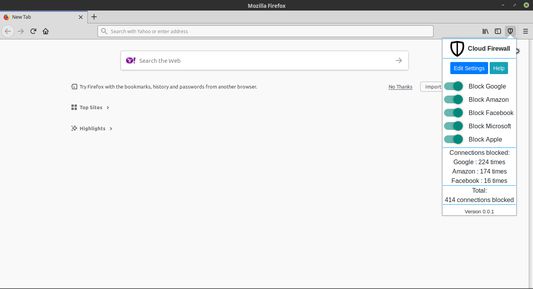
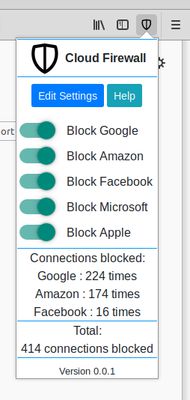
Example 1: If you enable "Block Amazon" in Popup, all websites hosted on Amazon AWS will be blocked. You can completely disable your chosen rules for any site you wish, from popup menu.
Example 2: If you enable "Block Amazon" in Popup, let's say a website is hosted "on-premise (not in cloud)", but has some "resources" like images, video and scripts hosted on Amazon AWS cloud, only those "3rd party" resources are blocked. "3rd party" = these resources. "1st party" = site in address bar + resources delivered from same domain on-premise server.
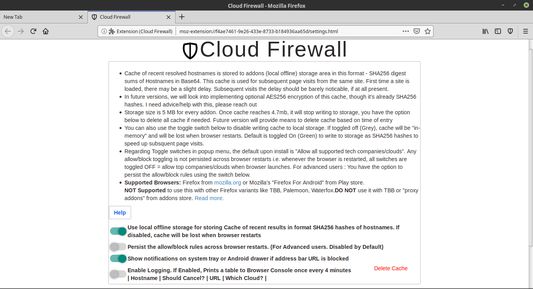
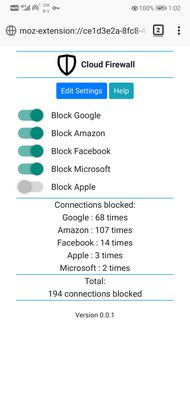
Regarding Toggle switches in popup menu, the default upon install is "Allow all supported tech companies/clouds". Any allow/block toggling is not persisted across browser restarts i.e. whenever the browser is restarted, all switches are toggled OFF = allow top companies/clouds when browser launches. For advanced users : You have the option to persist the allow/block rules using the switch in Settings page.
Example 1: If you enable "Block Amazon" in Popup, all websites hosted on Amazon AWS will be blocked. You can completely disable your chosen rules for any site you wish, from popup menu.
Example 2: If you enable "Block Amazon" in Popup, let's say a website is hosted "on-premise (not in cloud)", but has some "resources" like images, video and scripts hosted on Amazon AWS cloud, only those "3rd party" resources are blocked. "3rd party" = these resources. "1st party" = site in address bar + resources delivered from same domain on-premise server.
Regarding Toggle switches in popup menu, the default upon install is "Allow all supported tech companies/clouds". Any allow/block toggling is not persisted across browser restarts i.e. whenever the browser is restarted, all switches are toggled OFF = allow top companies/clouds when browser launches. For advanced users : You have the option to persist the allow/block rules using the switch in Settings page.
Noté 4,9 par 10 personnes
Autorisations et données
Autorisations nécessaires :
- Vous afficher des notifications
- Accéder aux onglets du navigateur
- Accéder à vos données pour tous les sites web
Plus dâinformations
- Liens du module
- Version
- 3.0
- Taille
- 752,38Â Ko
- DerniĂšre mise Ă jour
- il y a 5 ans (7 févr. 2021)
- Catégories associées
- Historique des versions
- Ajouter Ă la collection
Le dĂ©veloppeur de cette extension demande que vous lâaidiez Ă assurer la poursuite de son dĂ©veloppement en lui versant une petite contribution.