Translate Now par Geoffrey De Belie
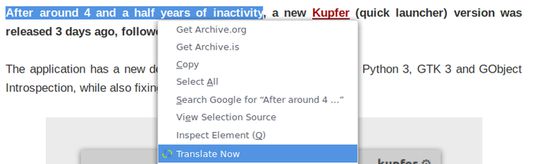
Right click a selection, page or link to translate words in Firefox using Google Translate, DeepL Translator or Bing Translator. In Firefox voor Android you first make a selection and then you use the button.
5 191 utilisateurs·trices5 191 utilisateurs·trices
Métadonnées de l’extension
Captures d’écran
À propos de cette extension
Select text on any page, right click and select Translate Now. This will open a new tab with the translation using Google Translate.
By default Translate Now uses Google Translate, but DeepL Translator and Bing Translator are also supported and can be set from the Preferences.
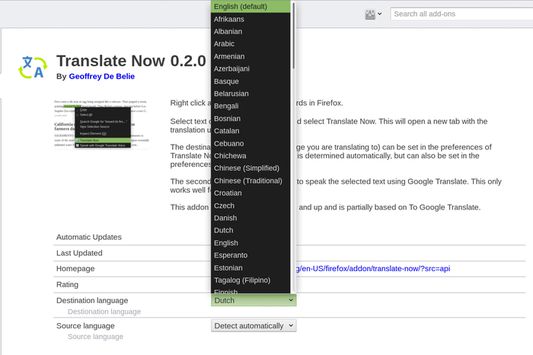
The destination language (the language you are translating to) can be set in the preferences of Translate Now. The source language is determined automatically, but can also be set in the preferences.
Features
- Supports Google Translate, Bing Translator and DeepL Translator.
- Broad support for source and destination languages.
- Make a selection, translate the current page or translate linked page.
- Use the toolbar icon to translate texts and right click the toolbar icon to gain access to the preferences.
- Highly customizable.
The first versions of Translate Now were partially based on To Google Translate.
By default Translate Now uses Google Translate, but DeepL Translator and Bing Translator are also supported and can be set from the Preferences.
The destination language (the language you are translating to) can be set in the preferences of Translate Now. The source language is determined automatically, but can also be set in the preferences.
Features
- Supports Google Translate, Bing Translator and DeepL Translator.
- Broad support for source and destination languages.
- Make a selection, translate the current page or translate linked page.
- Use the toolbar icon to translate texts and right click the toolbar icon to gain access to the preferences.
- Highly customizable.
The first versions of Translate Now were partially based on To Google Translate.
Noté 3,7 par 109 personnes
Autorisations et données
Autorisations nécessaires :
- Vous afficher des notifications
- Accéder aux onglets du navigateur
- Accéder à vos données pour tous les sites web
Autorisations facultatives :
- Accéder à vos données pour tous les sites web
Plus d’informations
- Liens du module
- Version
- 5.0.4
- Taille
- 41,4 Ko
- Dernière mise à jour
- il y a 2 ans (24 août 2024)
- Catégories associées
- Historique des versions
- Ajouter à la collection
Le développeur de cette extension demande que vous l’aidiez à assurer la poursuite de son développement en lui versant une petite contribution.