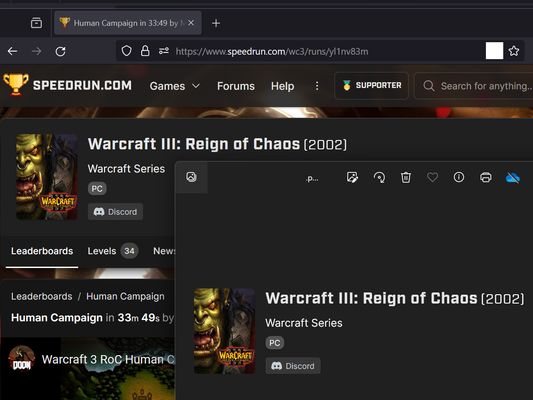
screenshot any element tekijä vacantthinker
webpage screenshot support: screenshot full page pick one element to screenshot
Laajennuksen metatiedot
Kuvakaappaukset
Tietoja tästä laajennuksesta
- how to use? screenshot full page
- right context menu: "screenshot full page"
- how to use? pick one element to screenshot
- click browser action: "pick one element to screenshot"
- move your mouse on element (that you want to screenshot)
- click it. (it will auto capture, then downloading as png file.)
- click browser action: "pick one element to screenshot"
- as you know: some website cannot capture !
- eg: mozilla
- eg: mozilla
- "Firefox_min_version": "102.0"
Arvio 5 1 arvostelijan toimesta
Käyttöoikeudet ja data
Vaaditut käyttöoikeudet:
- Näytä ilmoituksia sinulle
- Pääsyoikeus selaimen välilehtiin
- Pääsy tietoihisi kaikilla verkkosivuilla
Lisätietoja
- Versio
- 2024.1.23.2
- Koko
- 12,86 kt
- Viimeksi päivitetty
- kaksi vuotta sitten (22. tammi 2024)
- Liittyvät luokat
- Versiohistoria
- Tunnisteet
- Lisää kokoelmaan