
Browser’s External Editor
Edit any text field in Firefox using your favorite external editor. Perfect for long-form writing, code editing, or using custom tools outside the browser.
27 käyttäjää
Laajennuksen metatiedot
Kuvakaappaukset

Edit any text field in Firefox using your favorite external editor. Perfect for long-form writing, code editing, or using custom tools outside the browser.
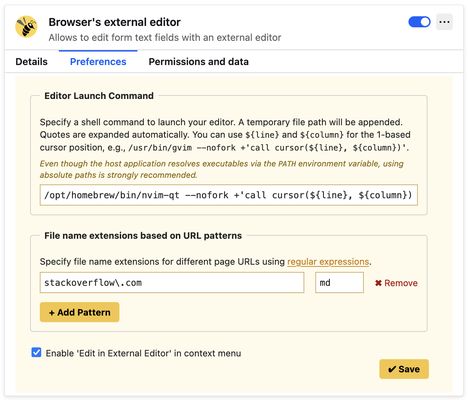
1. Open the add-on preferences and specify a shell command to launch your preferred text editor in foreground (no-fork) mode. Examples:
- For VS Code:
/usr/bin/code --wait- For GVim:
/usr/bin/gvim --nofork2. Set a keyboard shortcut via your browser’s extension shortcut settings. Use a unique combination such as:
- Cmd + Option + E (⌘⌥E) on macOS
- Ctrl + Alt + E on Linux or Windows
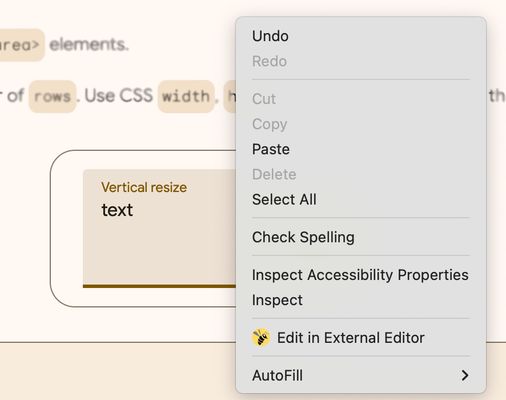
If the shortcut doesn’t work (due to browser limitations), you can use the context menu:
Right-click on a text field and select “Edit in External Editor”.
This option is available starting in version 3.4.0.
For help, feedback, or to report issues, please visit:
https://github.com/rosmanov/chrome-bee/issues