
Youtube Zero Annotations China-Cheats توسط
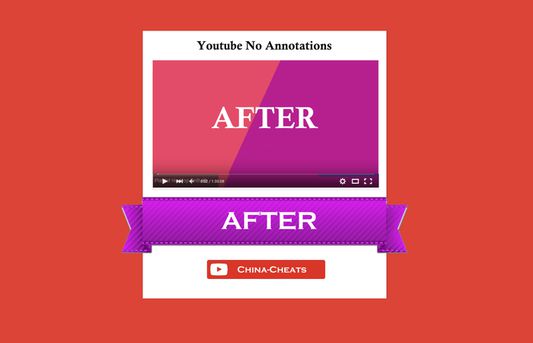
Watch Youtube Videos without the annoying Annotations + Texts and Clickable Links in Videos. It removes also Annotations from all Embedded HTML5 + Flash Players on All Websites, Domains and Blogs. The new Version 1.0.7 Removes All Annotations.
۱۱۱ کاربر۱۱۱ کاربر
فرادادهٔ افزونه
تصاویر صفحه



دربارهٔ این افزونه
This addon Allows you to Watch Youtube Videos without the annoying Annotation Test and Other Clickable Links in Videos. It removes also Annotations from all Embedded HTML5 + Flash Players on Websites, Domains and Blogs.
====================================================
NEW VERSION 1.1.9 RELEASE (UPDATED 09-JUL-2017)
====================================================
Major Update: We are proud to Announce the new Version of Youtube Zero Annotations. The new Version supports all Languages and Countries on Youtube. Plus its no longer required to Install AdBlock for Removal of Annotations on Startup.
We have also accomplished removal of Annotations from Youtube Playlist Videos and when Visiting previous Videos using the the "Go Back" button. All the changes mentioned above are now available from Version 1.1.0 and versions later.
=============
Installation
=============
1. Download and Install the "Youtube Zero Annotations" First.
2. Visit www.Youtube.com and start watching Videos with Annotations.
From now on the Extension will Automatically Remove all with Annotations from All Pages.
====================================
Uninstall / Disable / Remove Extension?
====================================
To Disable or Remove the Youtube Zero Annotation Extension Completely you have to Visit the Extensions Options Page.
1) Click on > Tools Menu > Addons > Extensions > Select the Youtube Zero Annotations >
2) Then click on "Disable" to Disable the Extension. Or you can Click on "Enable" Button to Enable the Extension.
- To remove the Extension, Click on "Remove" Button. And thats it.
=================================================================
How to Disable Annotations For Logged In Users (Requires Youtube Account)
=================================================================
To Disable Annotations for Logged-in Users, You must have a Youtube Account!
1) Login to your Youtube Account > Visit the link below visit Account Playback Page >> https://www.youtube.com/account_playback .
2) Remove the checkmark from:
Show annotations and in-video notifications
3) Click on Save button to save your Settings. And that it.
Now all Annotationso should be disabled on Youtube videos.
===================================================
<B>How to Troubleshoot and Change Language on Youtube</B>
===================================================
The new version 1.0.8 supports all the Languages on Youtube. Just incase you have Problems using the Extension with your Country, then you can always Troublshoot it yourselfs by Changing your Youtube Language to another Language.
You can Change your Language and Country from the Footer on Youtube.com. (IN THIS CASE DO NOT CHANGE THE COUNTRY. BUT ONLY YOUR LANGUAGE)
1) Visit Youtube.com > Scroll all the way Down and on your Left side Click on the > "Language" DropDown Menu.
2) Now from the Languages List select > "English (US)" or English (UK), And thats it. Now load a Watch a Video with Annotations and see if you see the Annoations..
And thats how you Troubleshoot the Extension.
========================
Credits and Thanks
========================
Credits and Thanks to StackOverFlow.com and its Users for some of the Methods used in our Script.
---------------------------------------
New Version 1.1.9 Changes
---------------------------------------
- OnInstall Function Added to show Status on Button after Installation.
---------------------------------------
Version 1.1.8 Change Log
---------------------------------------
- TypeError Null/Undefined Stack Trace (Fixed)
---------------------------------------
Version 1.1.3 Change Log
---------------------------------------
We have Included a Toolbar Button to Turn ON/OFF the Annotations with a Single Click, and at any time. The Toolbar Button comes with Cool Badges with the text ON/OFF. This way you will always be aware of when Annotations are Disabled.
- New Toolbar Button with ON/OFF Badges to Enable/disable Annotations with a Single Click
---------------------------------------
Version 1.1.0 Change Log
---------------------------------------
- Removal of Annotations when using the "Go Back" Button to View Previouse Videos.
- Removal of Annotations that might appear Later in Youtube Players timeline
- Removal of Annotations when the Video Automatically Changes or Plays the next Video
- Removal of Annotations From Videos in Youtube Playlists
All these new Changes were not Possible in older versions befor version 1.1.0.
====================================================
NEW VERSION 1.1.9 RELEASE (UPDATED 09-JUL-2017)
====================================================
Major Update: We are proud to Announce the new Version of Youtube Zero Annotations. The new Version supports all Languages and Countries on Youtube. Plus its no longer required to Install AdBlock for Removal of Annotations on Startup.
We have also accomplished removal of Annotations from Youtube Playlist Videos and when Visiting previous Videos using the the "Go Back" button. All the changes mentioned above are now available from Version 1.1.0 and versions later.
=============
Installation
=============
1. Download and Install the "Youtube Zero Annotations" First.
2. Visit www.Youtube.com and start watching Videos with Annotations.
From now on the Extension will Automatically Remove all with Annotations from All Pages.
====================================
Uninstall / Disable / Remove Extension?
====================================
To Disable or Remove the Youtube Zero Annotation Extension Completely you have to Visit the Extensions Options Page.
1) Click on > Tools Menu > Addons > Extensions > Select the Youtube Zero Annotations >
2) Then click on "Disable" to Disable the Extension. Or you can Click on "Enable" Button to Enable the Extension.
- To remove the Extension, Click on "Remove" Button. And thats it.
=================================================================
How to Disable Annotations For Logged In Users (Requires Youtube Account)
=================================================================
To Disable Annotations for Logged-in Users, You must have a Youtube Account!
1) Login to your Youtube Account > Visit the link below visit Account Playback Page >> https://www.youtube.com/account_playback .
2) Remove the checkmark from:
Show annotations and in-video notifications
3) Click on Save button to save your Settings. And that it.
Now all Annotationso should be disabled on Youtube videos.
===================================================
<B>How to Troubleshoot and Change Language on Youtube</B>
===================================================
The new version 1.0.8 supports all the Languages on Youtube. Just incase you have Problems using the Extension with your Country, then you can always Troublshoot it yourselfs by Changing your Youtube Language to another Language.
You can Change your Language and Country from the Footer on Youtube.com. (IN THIS CASE DO NOT CHANGE THE COUNTRY. BUT ONLY YOUR LANGUAGE)
1) Visit Youtube.com > Scroll all the way Down and on your Left side Click on the > "Language" DropDown Menu.
2) Now from the Languages List select > "English (US)" or English (UK), And thats it. Now load a Watch a Video with Annotations and see if you see the Annoations..
And thats how you Troubleshoot the Extension.
========================
Credits and Thanks
========================
Credits and Thanks to StackOverFlow.com and its Users for some of the Methods used in our Script.
---------------------------------------
New Version 1.1.9 Changes
---------------------------------------
- OnInstall Function Added to show Status on Button after Installation.
---------------------------------------
Version 1.1.8 Change Log
---------------------------------------
- TypeError Null/Undefined Stack Trace (Fixed)
---------------------------------------
Version 1.1.3 Change Log
---------------------------------------
We have Included a Toolbar Button to Turn ON/OFF the Annotations with a Single Click, and at any time. The Toolbar Button comes with Cool Badges with the text ON/OFF. This way you will always be aware of when Annotations are Disabled.
- New Toolbar Button with ON/OFF Badges to Enable/disable Annotations with a Single Click
---------------------------------------
Version 1.1.0 Change Log
---------------------------------------
- Removal of Annotations when using the "Go Back" Button to View Previouse Videos.
- Removal of Annotations that might appear Later in Youtube Players timeline
- Removal of Annotations when the Video Automatically Changes or Plays the next Video
- Removal of Annotations From Videos in Youtube Playlists
All these new Changes were not Possible in older versions befor version 1.1.0.
امتیاز ۲٫۸ توسط ۱۰ بررسیکننده
دسترسیها و دادهها
اطلاعات بیشتر
- پیوندهای افزونه
- نسخه
- 1.1.10resigned1
- اندازه
- ۷۸٫۷ کیلوبایت
- آخرین بهروزرسانی
- ۲ سال پیش (۲۵ آوریل ۲۰۲۴)
- دستهبندیهای مرتبط
- مجوز
- مجوز MIT
- تاریخچهٔ نسخهها
- افزودن به مجموعه