YouTube Audio Sync Tool Hirox توسط
Fix YouTube audio sync problem by adjusting audio timing
۱۹۴ کاربر۱۹۴ کاربر
فرادادهٔ افزونه
تصاویر صفحه
دربارهٔ این افزونه
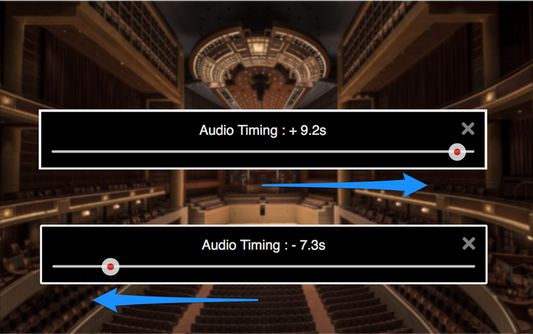
Fix YouTube audio sync problems by adjusting audio timing in intervals of 0.1 seconds. It helps when watching videos that have out-of-sync audio, or when using wireless audio systems that have audio delay.
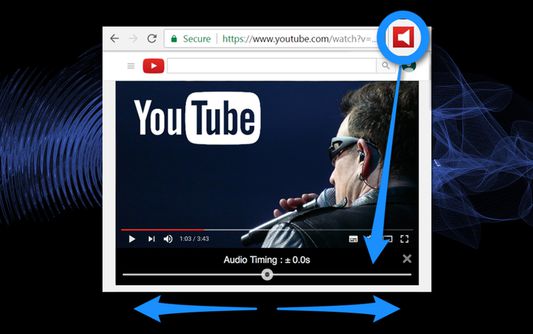
1. Audio timing adjustment slider appears under the video screen on your YouTube page with a click of the tool icon.
2. Adjust audio timing to sync audio and video by moving the slider.
- "YouTube" and the "YouTube logo" are registered trademarks of Google Inc.
- The images used in screenshots are provided under Creative Commons (CC0) license.
1. Audio timing adjustment slider appears under the video screen on your YouTube page with a click of the tool icon.
2. Adjust audio timing to sync audio and video by moving the slider.
- "YouTube" and the "YouTube logo" are registered trademarks of Google Inc.
- The images used in screenshots are provided under Creative Commons (CC0) license.
امتیاز ۱٫۶ توسط ۲۷ بررسیکننده
دسترسیها و دادهها
دسترسیهای الزامی:
- دسترسی به زبانههای مرورگر
- دسترسی به دادههای شما برای www.youtube.com
اطلاعات بیشتر
- پیوندهای افزونه
- نسخه
- 0.0.6resigned1
- اندازه
- ۱۵۵٫۰۲ کیلوبایت
- آخرین بهروزرسانی
- ۲ سال پیش (۲۵ آوریل ۲۰۲۴)
- دستهبندیهای مرتبط
- تاریخچهٔ نسخهها
- افزودن به مجموعه