Y2Matecom Developer توسط
Convert and download your favorite YouTube videos to MP3, MP4 with a single click!
۲۶ کاربر۲۶ کاربر
فرادادهٔ افزونه
تصاویر صفحه
دربارهٔ این افزونه
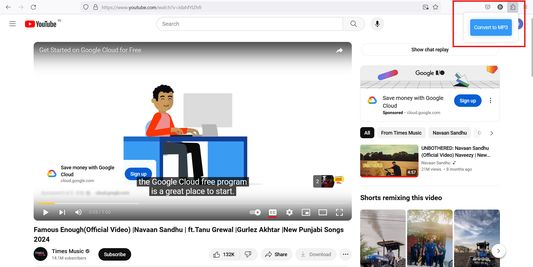
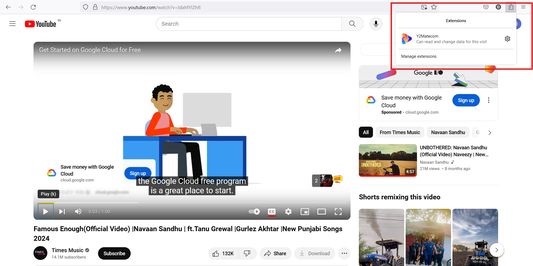
After the installation of Y2matecom Add-On you will find a new icon in your browser toolbar. To use the Add-On follow our step by step guide:
1. Open youtube.com and play the video you would like to download.
2. Click on our icon and choose Convert to MP3.
3. You will be redirected to our website, and the conversion will start.
4. As soon as the conversion is finished you will be able to download the converted file.
That’s all!
1. Open youtube.com and play the video you would like to download.
2. Click on our icon and choose Convert to MP3.
3. You will be redirected to our website, and the conversion will start.
4. As soon as the conversion is finished you will be able to download the converted file.
That’s all!
امتیاز ۰ توسط ۱ بررسیکننده
اطلاعات بیشتر
- پیوندهای افزونه
- نسخه
- 1.0
- اندازه
- ۲۸٫۶۸ کیلوبایت
- آخرین بهروزرسانی
- ۲ سال پیش (۱۸ مه ۲۰۲۴)
- دستهبندیهای مرتبط
- تاریخچهٔ نسخهها
- افزودن به مجموعه