
TST Tab Search NiklasG توسط
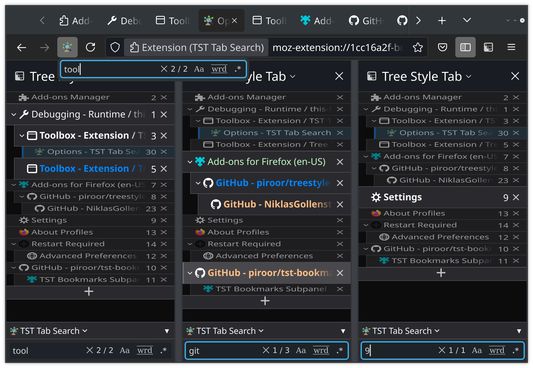
Search for or filter the Tabs in TST's sidebar, and quickly find and activate them.
۴۹۸ کاربر۴۹۸ کاربر
فرادادهٔ افزونه
تصاویر صفحه
دربارهٔ این افزونه
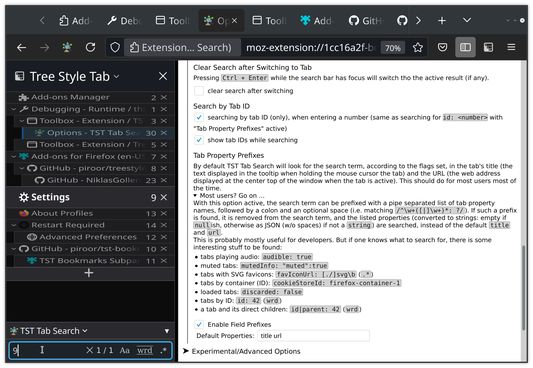
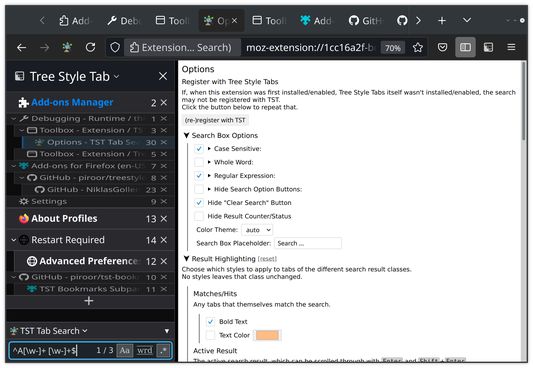
This is an extension for the browser extension Tree Style Tabs (TST). It adds a search box to TST's sidebar, allowing to search the tabs in the current window. With TST Tab Search you can:
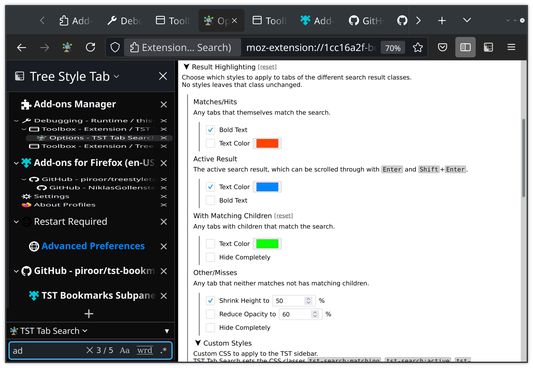
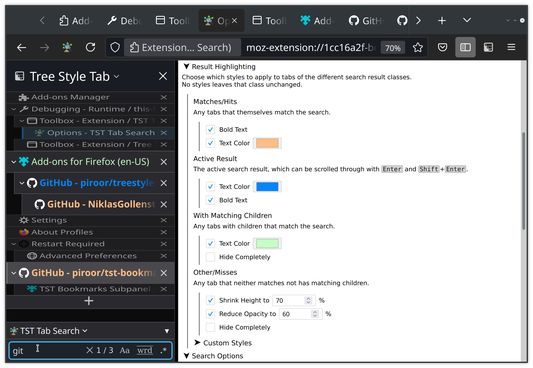
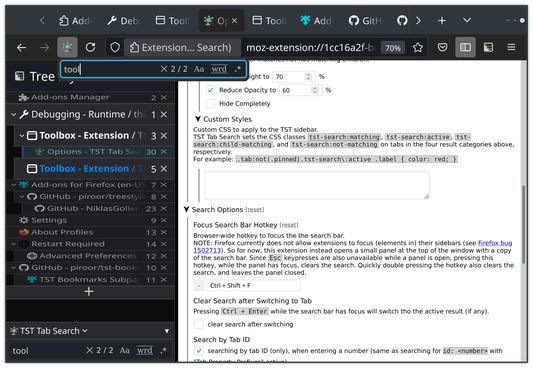
There are quite a lot of things that can, but don't need to, be changed in the extensions options. The descriptions of the options also explain how some of the more advanced search features work.
Should the search bar not show up after installing this extension, then have a look at the top of the options page as well.
The options can be opened by either going to `about:addons` > "Extensions" > "TST Tab Search" > "Preferences", or right clicking the icon at the top right of the browser > "Manage Extension" > "Preferences". Should the icon not be there, then right click any of the other icons, select "Customize Toolbar" (last entry) and look on that page.
Many thanks to TST's author piroor, who has not only developed TST as a great standalone extension, but also designed a very good API for other extensions to interact and integrate with TST. With that, writing the initial version of this extension from scratch took only about two long afternoons (but refining it took a lot longer)
Permissions Used:
Privacy / Disclaimer:
This extension only momentarily changes how tabs are displayed in the sidebar, but does no persistent changes to them, and should thus also not be able to cause any (tab) data loss.
- start searching with a global search hotkey (Ctrl+Shift+F)
- customize the filtered tabs and the search panel
- cycle through results and then switch to the tabs
- search case sensitive, as whole word, or by regular expression
- show and search by tab ID
- search by any tab property
There are quite a lot of things that can, but don't need to, be changed in the extensions options. The descriptions of the options also explain how some of the more advanced search features work.
Should the search bar not show up after installing this extension, then have a look at the top of the options page as well.
The options can be opened by either going to `about:addons` > "Extensions" > "TST Tab Search" > "Preferences", or right clicking the icon at the top right of the browser > "Manage Extension" > "Preferences". Should the icon not be there, then right click any of the other icons, select "Customize Toolbar" (last entry) and look on that page.
Many thanks to TST's author piroor, who has not only developed TST as a great standalone extension, but also designed a very good API for other extensions to interact and integrate with TST. With that, writing the initial version of this extension from scratch took only about two long afternoons (but refining it took a lot longer)
Permissions Used:
- "Access to browser tabs": Get titles and URLs of tabs to be searched.
- "Display notifications to you": Notify when something went wrong, or right.
Privacy / Disclaimer:
This extension only momentarily changes how tabs are displayed in the sidebar, but does no persistent changes to them, and should thus also not be able to cause any (tab) data loss.
امتیاز ۴٫۲ توسط ۳۱ بررسیکننده
دسترسیها و دادهها
اطلاعات بیشتر
- پیوندهای افزونه
- نسخه
- 0.0.7
- اندازه
- ۱۸۳٫۸۹ کیلوبایت
- آخرین بهروزرسانی
- ۳ سال پیش (۲۸ ژوئیه ۲۰۲۳)
- دستهبندیهای مرتبط
- تاریخچهٔ نسخهها
- افزودن به مجموعه