
Sitemap Explorer: Check and View XML Sitemaps MySitemapGenerator توسط
This extension helps you find, inspect, export, and view XML Sitemap files for any site you navigate in a browser.
۳۴۶ کاربر۳۴۶ کاربر
فرادادهٔ افزونه
تصاویر صفحه
دربارهٔ این افزونه
Sitemap Explorer is a helpful and easy-to-use add-on that helps you find, inspect, export, and view XML Sitemap files for any site you navigate in a browser.
Add-on features:
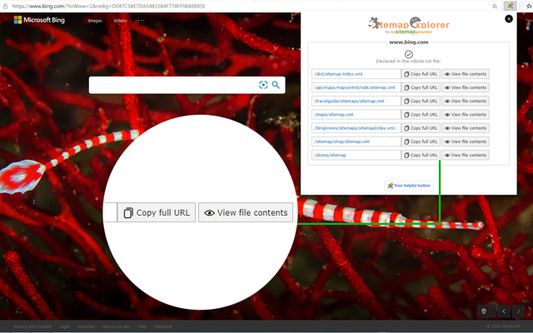
- Automatically detects XML Sitemaps declared in the robots.txt file of any site you develop, administer or analyze.
- Displays XML contents of Sitemap files in a human-readable form.
- Validates XML syntax (XML Sitemaps and Atom protocols are supported).
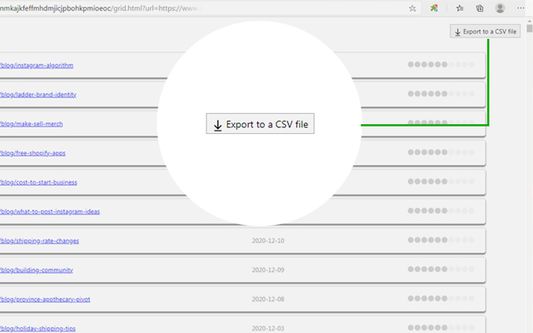
- One-click export of URLs list from XML Sitemap to a local CSV file.
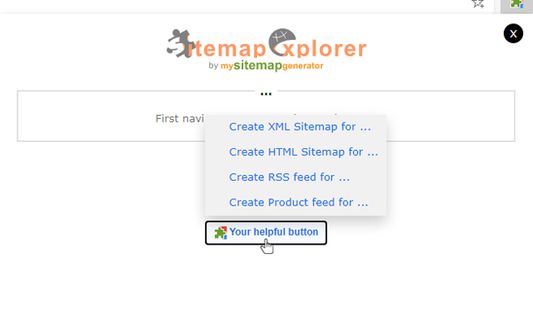
- Contains “Your Helpful Button” that you can use to easily create a Sitemap, RSS, or Product feed (for eCommerce sites) file from the current URL.
How to use:
1. Open the URL of any site in your browser and click the Sitemap Explorer icon in your toolbar.
2. Get information about the Sitemaps for the current site.
3. Now, you can open file view or copy the full URL of the file to your clipboard.
Sitemap Explorer for Firefox is a software product of MySitemapGenerator.
By installing this extension, you agree to the MySitemapGenerator.com Terms of Use (https://www.mysitemapgenerator.com/info/terms.html) and acknowledge that you have read MySitemapGenerator Privacy Policy (https://www.mysitemapgenerator.com/info/privacypolicy.html).
Add-on features:
- Automatically detects XML Sitemaps declared in the robots.txt file of any site you develop, administer or analyze.
- Displays XML contents of Sitemap files in a human-readable form.
- Validates XML syntax (XML Sitemaps and Atom protocols are supported).
- One-click export of URLs list from XML Sitemap to a local CSV file.
- Contains “Your Helpful Button” that you can use to easily create a Sitemap, RSS, or Product feed (for eCommerce sites) file from the current URL.
How to use:
1. Open the URL of any site in your browser and click the Sitemap Explorer icon in your toolbar.
2. Get information about the Sitemaps for the current site.
3. Now, you can open file view or copy the full URL of the file to your clipboard.
Sitemap Explorer for Firefox is a software product of MySitemapGenerator.
By installing this extension, you agree to the MySitemapGenerator.com Terms of Use (https://www.mysitemapgenerator.com/info/terms.html) and acknowledge that you have read MySitemapGenerator Privacy Policy (https://www.mysitemapgenerator.com/info/privacypolicy.html).
امتیاز ۵ توسط ۲ بررسیکننده
دسترسیها و دادهها
دسترسیهای الزامی:
- دریافت دادهها از کلیپبورد
- وارد کردن دادهها به کلیپبورد
- دسترسی به زبانههای مرورگر
- دسترسی به دادههای شما در همهٔ وبسایتها
اطلاعات بیشتر
- پیوندهای افزونه
- نسخه
- 1.0.0
- اندازه
- ۹۲٫۸ کیلوبایت
- آخرین بهروزرسانی
- ۶ سال پیش (۲۶ دسامبر ۲۰۲۰)
- دستهبندیهای مرتبط
- تاریخچهٔ نسخهها
- افزودن به مجموعه