
RunMyCode Online Shatrughn Gupta توسط
RunMyCode Online is a free and open-source tool to compile and run code online, directly from Github, Gitlab, Bitbucket, and GoByExample.
۲۹ کاربر۲۹ کاربر
فرادادهٔ افزونه
تصاویر صفحه
دربارهٔ این افزونه
RunMyCode Online is a free and open-source tool to compile and run code online directly from Github, Gitlab, Bitbucket, and GoByExample.
Introduction video on YouTube: https://www.youtube.com/watch?v=Q0m6diPI1Gs
Supported Languages
How to Use (Video Walkthrough)
Starting with v2, RMCO only asks permission for GitHub by default. All other websites are optional and can be allowed on demand. (Check your URL bar for a blue RMCO icon on supported sites)
Source Code available at: https://github.com/shatgupt/runmycode-ext
Any more questions? Email to support@runmycode.online
Introduction video on YouTube: https://www.youtube.com/watch?v=Q0m6diPI1Gs
Supported Languages
- C
- C++
- Java 8
- Nodejs 6
- Python 2
- Python 3
- Ruby 2.2
- Go
- PHP 7
- Kotlin
- Scala
How to Use (Video Walkthrough)
- Install the extension.
- On extension install, RunMyCode Online will open in a new tab and prompt you to authenticate to get a key.
- On authenticating with any the of providers, you will be redirected to dashboard page and extension will be auto-configured with your key.
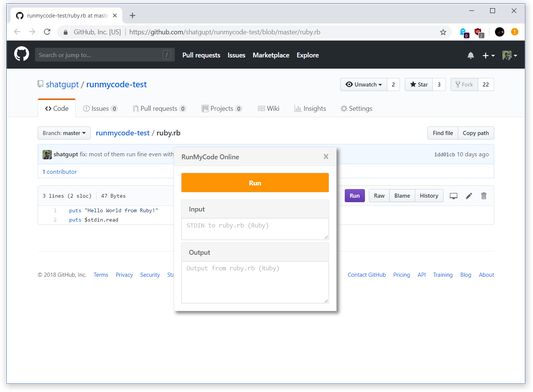
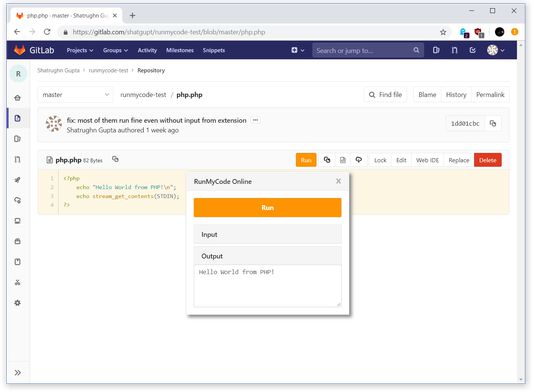
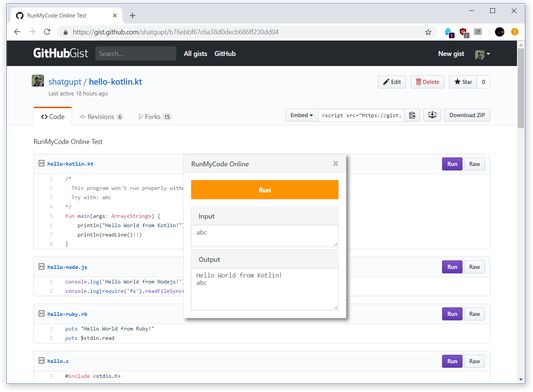
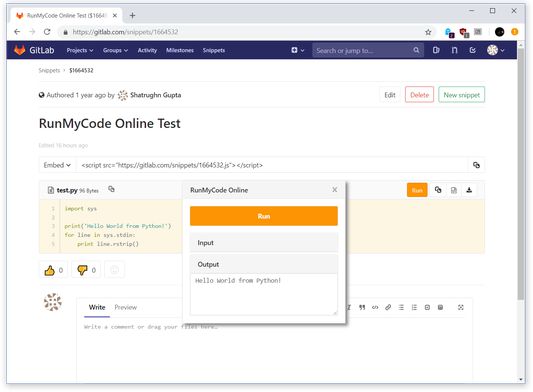
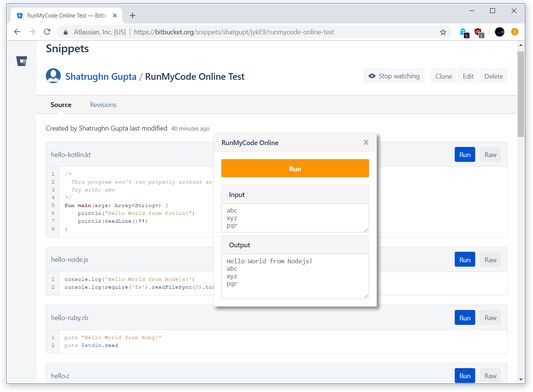
- Now you can go to any supported language code page on Github or Gitlab and you will see a colored Run button added to left of usual action buttons (see screenshot). For example, you can test the extension with this Ruby code on Github
- Clicking that Run button will open a runner where you can input any command line args and then press the big orange Run button to run the code on the page.
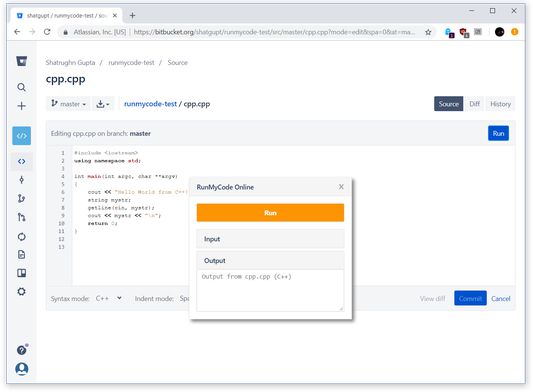
- You can also edit the code using the web editor on Github or Gitlab and make it run through the same Run button as above.
- Github
- Gitlab
- BitBucket
- Github Gist
- Gitlab Snippets
- Bitbucket Snippets
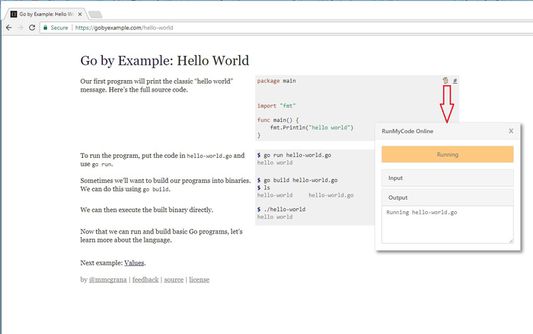
- Go by Example
- Xahlee
- Learn To Solve It
- Tutorials Point
Starting with v2, RMCO only asks permission for GitHub by default. All other websites are optional and can be allowed on demand. (Check your URL bar for a blue RMCO icon on supported sites)
- Optional permission for the above supported websites to allow extension to run code directly from there.
- runmycode.online - To auto-configure the extension.
- api.runmycode.online - To run code from the extension.
- tabs - For detecting url change and page loading complete for single page apps like Github, Bitbucket.
- storage - To store API URL and Key.
Source Code available at: https://github.com/shatgupt/runmycode-ext
Any more questions? Email to support@runmycode.online
امتیاز ۵ توسط ۲ بررسیکننده
دسترسیها و دادهها
دسترسیهای الزامی:
- دسترسی به زبانههای مرورگر
- دسترسی به دادههای شما برای api.runmycode.online
- دسترسی به دادههای شما برای github.com
- دسترسی به دادههای شما برای gist.github.com
- دسترسی به دادههای شما برای runmycode.online
دسترسیهای اختیاری:
- دسترسی به دادههای شما برای gitlab.com
- دسترسی به دادههای شما برای bitbucket.org
- دسترسی به دادههای شما برای gobyexample.com
- دسترسی به دادههای شما برای xahlee.info
- دسترسی به دادههای شما برای www.learntosolveit.com
- دسترسی به دادههای شما برای www.geeksforgeeks.org
- دسترسی به دادههای شما برای www.tutorialspoint.com
اطلاعات بیشتر
- پیوندهای افزونه
- نسخه
- 2.0.2resigned1
- اندازه
- ۳۴٫۷۶ کیلوبایت
- آخرین بهروزرسانی
- ۲ سال پیش (۲۵ آوریل ۲۰۲۴)
- دستهبندیهای مرتبط
- مجوز
- مجوز MIT
- تاریخچهٔ نسخهها
- افزودن به مجموعه