Print PDF Senthil Ponnusamy توسط
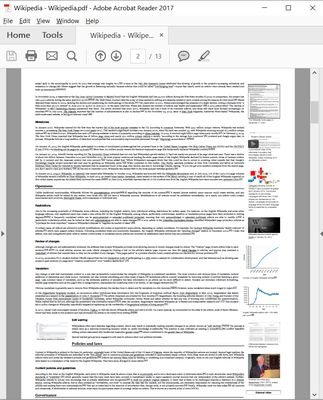
Print any Webpage to PDF. No server or third-party processing. Uses built-in Firefox converter.
۱٬۶۳۳ کاربر۱٬۶۳۳ کاربر
فرادادهٔ افزونه
تصاویر صفحه
دربارهٔ این افزونه
You can print/save any webpage to PDF by any of the following methods.
- A Single click on the icon.
- Keyboard Shortcut - Ctrl+Alt+P.
- You can customize the shortcut.
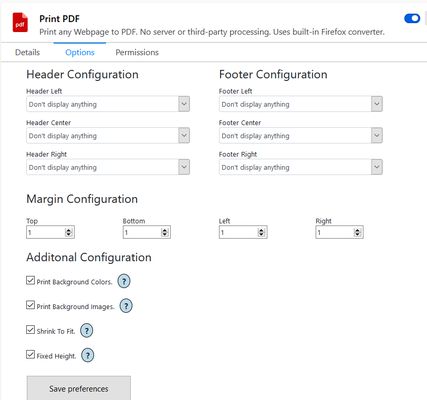
In the configuration panel, you can configure the following-
- Page margins.
- Page header/footer.
- Include or exclude Background images.
- Include or exclude Background color.
- Shrink to one page PDF.
- Fixed Height for longer pages.
- Default configuration will just work.
- A Single click on the icon.
- Keyboard Shortcut - Ctrl+Alt+P.
- You can customize the shortcut.
In the configuration panel, you can configure the following-
- Page margins.
- Page header/footer.
- Include or exclude Background images.
- Include or exclude Background color.
- Shrink to one page PDF.
- Fixed Height for longer pages.
- Default configuration will just work.
امتیاز ۳٫۵ توسط ۱۶ بررسیکننده
اطلاعات بیشتر
- پیوندهای افزونه
- نسخه
- 2.0
- اندازه
- ۹۸٫۵ کیلوبایت
- آخرین بهروزرسانی
- ۴ سال پیش (۱۶ فوریه ۲۰۲۳)
- دستهبندیهای مرتبط
- مجوز
- تمامی حقوق محفوظ است
- تاریخچهٔ نسخهها
- افزودن به مجموعه
توسعه دهنده این افزونه از شما درخواست میکند که به ادامه یافتن توسعهی آن با یک مشارکت کوچک کمک کنید.