PassEye | Revealing passwords Sineway توسط
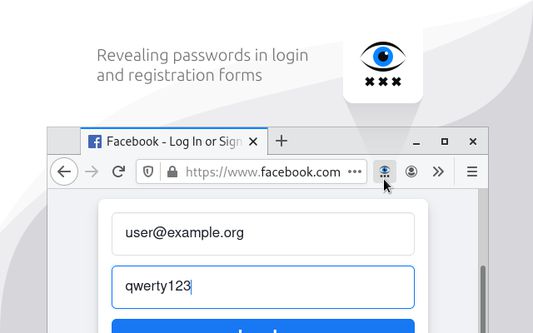
Revealing passwords in login and registration forms
۸۵ کاربر۸۵ کاربر
فرادادهٔ افزونه
تصاویر صفحه
دربارهٔ این افزونه
§ 1. How to use
- Click the toolbar icon
- Or use keyboard shortcut «Alt+Shift+R»
- Or open the context menu by hovering over the password field and select «Reveal password»
§ 2. How it works
When you run the extension, it finds all the standard <input type=password> elements on the page and changes the value of the type attribute.
§ 3. Limitations
- Special pages where extensions cannot work.
- Form in <iframe> from another website (cross-site security policy).
- Password field implemented without <input type=password> element.
- Click the toolbar icon
- Or use keyboard shortcut «Alt+Shift+R»
- Or open the context menu by hovering over the password field and select «Reveal password»
§ 2. How it works
When you run the extension, it finds all the standard <input type=password> elements on the page and changes the value of the type attribute.
§ 3. Limitations
- Special pages where extensions cannot work.
- Form in <iframe> from another website (cross-site security policy).
- Password field implemented without <input type=password> element.
امتیاز ۵ توسط ۷ بررسیکننده
اطلاعات بیشتر
- پیوندهای افزونه
- نسخه
- 3.2.0
- اندازه
- ۲۹٫۸ کیلوبایت
- آخرین بهروزرسانی
- ۴ سال پیش (۱۲ آوریل ۲۰۲۲)
- دستهبندیهای مرتبط
- مجوز
- تمامی حقوق محفوظ است
- تاریخچهٔ نسخهها
- افزودن به مجموعه