
Link Hints lydell توسط
Click with your keyboard.
۵۷۷ کاربر۵۷۷ کاربر
فرادادهٔ افزونه
تصاویر صفحه
دربارهٔ این افزونه
Have a bad touchpad? Trouble using a mouse? Love keyboard shortcuts?
Link Hints is a browser extension that complements the built-in keyboard shortcuts with ones for clicking.
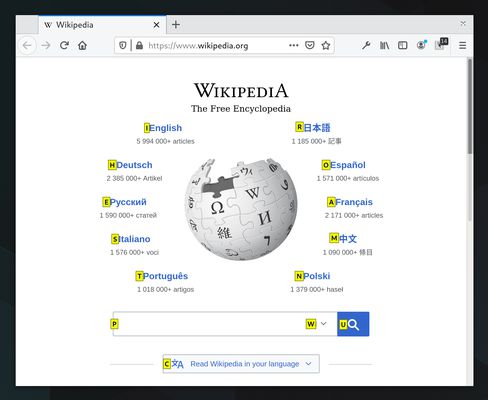
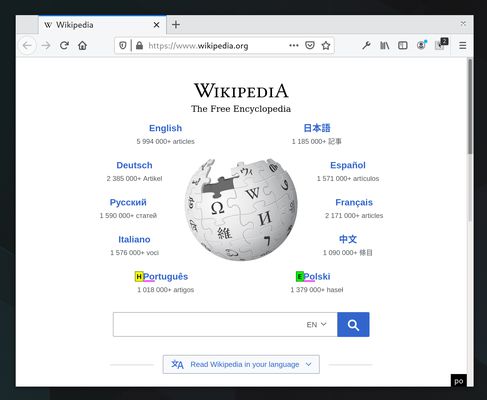
Press Alt+J (Ctrl+J on macOS). This makes little yellow boxes with letters, called hints, appear next to links (and other clickable things). Type the letters to click the link. Alternatively, hold Shift and type a bit of the link text.
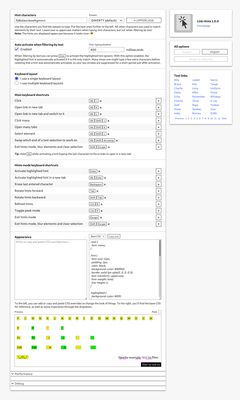
The keyboard shortcuts and hints are fully customizable.
Alt+J: Click links, buttons, etc.
Alt+K: Open link in new tab.
Alt+L: Open link in new tab and switch to it.
Alt+Shift+J: Click many things.
Alt+Shift+K: Open many links.
Alt+Shift+L: Select element.
See the home page for more information: https://lydell.github.io/LinkHints/
Link Hints is a browser extension that complements the built-in keyboard shortcuts with ones for clicking.
Press Alt+J (Ctrl+J on macOS). This makes little yellow boxes with letters, called hints, appear next to links (and other clickable things). Type the letters to click the link. Alternatively, hold Shift and type a bit of the link text.
The keyboard shortcuts and hints are fully customizable.
Alt+J: Click links, buttons, etc.
Alt+K: Open link in new tab.
Alt+L: Open link in new tab and switch to it.
Alt+Shift+J: Click many things.
Alt+Shift+K: Open many links.
Alt+Shift+L: Select element.
See the home page for more information: https://lydell.github.io/LinkHints/
امتیاز ۴٫۸ توسط ۳۰ بررسیکننده
دسترسیها و دادهها
دسترسیهای الزامی:
- دسترسی به دادههای شما در همهٔ وبسایتها
جمعآوری دادهها:
- به گفته توسعهدهنده، این افزونه نیازی به جمعآوری دادهها ندارد.
اطلاعات بیشتر
- پیوندهای افزونه
- نسخه
- 1.4.0
- اندازه
- ۱۶۴٫۰۵ کیلوبایت
- آخرین بهروزرسانی
- یک ماه پیش (۲۱ اوت ۲۰۲۶)
- دستهبندیهای مرتبط
- مجوز
- مجوز MIT
- تاریخچهٔ نسخهها
- افزودن به مجموعه