Focus input element sa1hon توسط
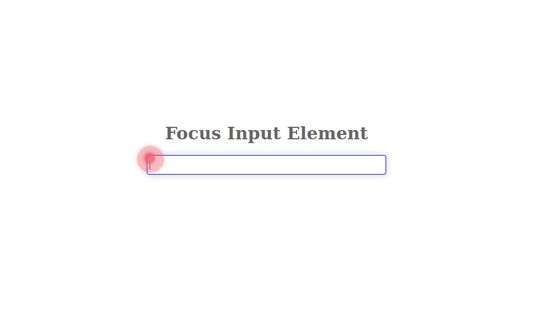
Pressing the shortcut key moves the cursor to the text box on the Web page.
۵۲ کاربر۵۲ کاربر
فرادادهٔ افزونه
تصاویر صفحه
دربارهٔ این افزونه
Overview:
Pressing the shortcut key moves the cursor to the text box on the Web page.
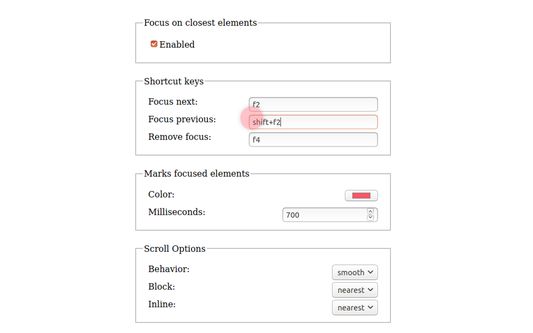
The default shortcut keys:
- Next input box: F2
- Previous input box: Shift+F2
- Unfocus: F4
- First input box: Default unspecified
- Last input box: Default unspecified
Features:
- Press the key repeatedly to move to the next or previous input box.
- Focus is available on the nearest input box in the active area of the scrolled page.
- Markers allow you to locate the input box.
- These settings can be changed on the Options page.
Source repository: https://github.com/saihon/focus-input-element
Pressing the shortcut key moves the cursor to the text box on the Web page.
The default shortcut keys:
- Next input box: F2
- Previous input box: Shift+F2
- Unfocus: F4
- First input box: Default unspecified
- Last input box: Default unspecified
Features:
- Press the key repeatedly to move to the next or previous input box.
- Focus is available on the nearest input box in the active area of the scrolled page.
- Markers allow you to locate the input box.
- These settings can be changed on the Options page.
Source repository: https://github.com/saihon/focus-input-element
امتیاز ۵ توسط ۵ بررسیکننده
دسترسیها و دادهها
اطلاعات بیشتر
- پیوندهای افزونه
- نسخه
- 1.5.6
- اندازه
- ۴۷٫۱۷ کیلوبایت
- آخرین بهروزرسانی
- ۲ سال پیش (۱۶ ژوئیه ۲۰۲۴)
- دستهبندیهای مرتبط
- تاریخچهٔ نسخهها
- افزودن به مجموعه