Femmage eliaspourquoi توسط
Make any web page a canvas to select, copy and paste anywhere else. Works using Shortcuts Keys.
بدون کاربربدون کاربر
فرادادهٔ افزونه
تصاویر صفحه
دربارهٔ این افزونه
Works in any tabs, you can copy from a tab and paste in another tab, or in an other software, anywhere.
Ctrl/Cmd+D: Switch modes (Hidden, Clip and Paste)
Ctrl/Cmd+V (Paste mode): Paste any image into the screen and use the mouse to drag it over.
Ctrl/Cmd+C (Clip mode): Copy any clip you did using the mouse in clip mode.
Mouse-Left (Clip mode): Draw an area you want to select for copy.
Mouse-Left (Paste mode): Drag any image you paste from your clipboard.
Name Inspiration: https://fr.wikipedia.org/wiki/Femmage
Ctrl/Cmd+D: Switch modes (Hidden, Clip and Paste)
Ctrl/Cmd+V (Paste mode): Paste any image into the screen and use the mouse to drag it over.
Ctrl/Cmd+C (Clip mode): Copy any clip you did using the mouse in clip mode.
Mouse-Left (Clip mode): Draw an area you want to select for copy.
Mouse-Left (Paste mode): Drag any image you paste from your clipboard.
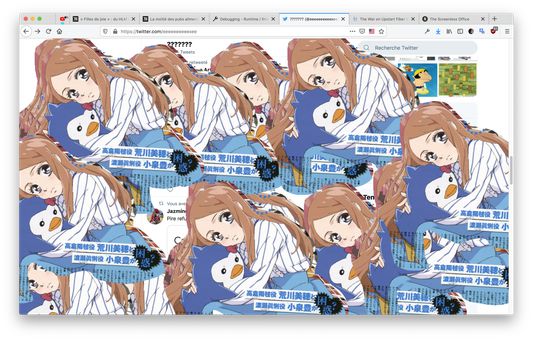
Name Inspiration: https://fr.wikipedia.org/wiki/Femmage
امتیاز ۰ توسط ۱ بررسیکننده
دسترسیها و دادهها
دسترسیهای الزامی:
- وارد کردن دادهها به کلیپبورد
- دسترسی به دادههای شما در همهٔ وبسایتها
اطلاعات بیشتر
- پیوندهای افزونه
- نسخه
- 0.1
- اندازه
- ۸۵٫۹۹ کیلوبایت
- آخرین بهروزرسانی
- ۶ سال پیش (۲۷ ژوئن ۲۰۲۰)
- دستهبندیهای مرتبط
- تاریخچهٔ نسخهها
- افزودن به مجموعه