
Fancy Bookmarks Page Justin von Rosenberg توسط
Adds a user customizable, decorative full page viewer for bookmarks
فرادادهٔ افزونه
تصاویر صفحه
دربارهٔ این افزونه
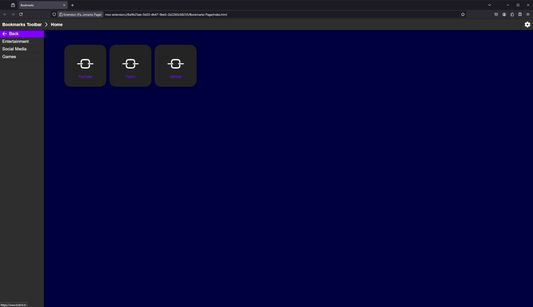
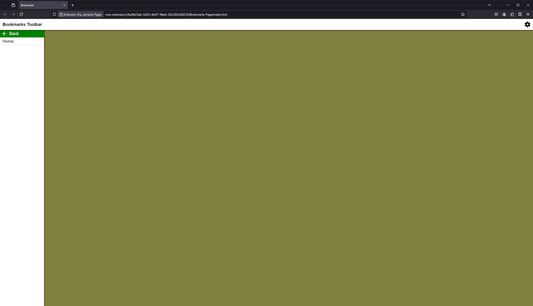
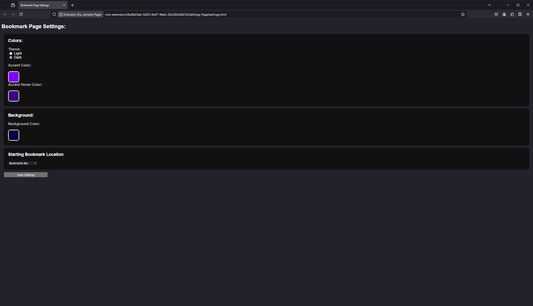
Fancy Bookmarks Page adds the ability to browse bookmarks using a UI contained within a full webpage. This allows you to set the bookmarks page as an alternate browser homepage if desired as well as customize its color scheme with a settings page.
How to Use:
How to set Bookmarks Page as browser home page:
Permissions:
How to Use:
- Click on the extension in the extensions menu or click on its pinned toolbar button to open the bookmarks page.
- In order to change settings, click the gear on the bookmarks page or open the settings page through the extension preferences.
How to set Bookmarks Page as browser home page:
- Open the bookmarks page and close all other tabs
- Open Firefox settings and go to "Home"
- Select "Custom URLs" for Homepage and new windows
- Click "Use Current Page"
Permissions:
- Read bookmarks and bookmark folders
- Store settings in browser sync storage
امتیاز ۰ توسط ۱ بررسیکننده
دسترسیها و دادهها
اطلاعات بیشتر
- پیوندهای افزونه
- نسخه
- 1.0
- اندازه
- ۲۸٫۵۴ کیلوبایت
- آخرین بهروزرسانی
- ۲ سال پیش (۸ ژوئیه ۲۰۲۴)
- دستهبندیهای مرتبط
- تاریخچهٔ نسخهها
- افزودن به مجموعه