
Download Master WestByte Software توسط
Intercept downloads for Download Master, download a file or a group of files from the context menu.
۳٬۳۵۹ کاربر۳٬۳۵۹ کاربر
فرادادهٔ افزونه
تصاویر صفحه
دربارهٔ این افزونه
Download with Download Master* by clicking on the any file link. Enable or disable browser integration from the extension menu, set the minimum file size from the extension options.
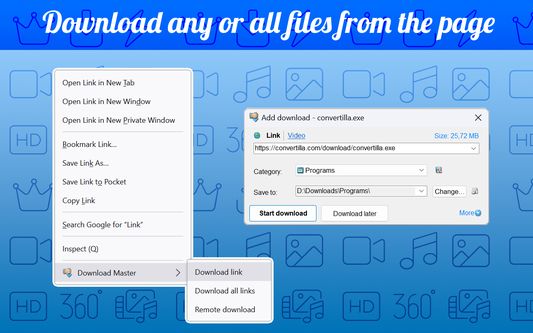
Extension adds the ability to download using Download Master* specified file or group of files from the browser's context menu. After installing the plug-in a new section with items "Download link", "Download all links" and "Remote download" is added the context menu of Firefox.
Right-clicking on the link (example link) you will see a menu with 3 new items added:
- Select "Download link" if you want to download the selected file.
- Select "Download all links" if you want to download multiple files located on this page;
- Select "Remote download" if you want to download a file using remote download service.
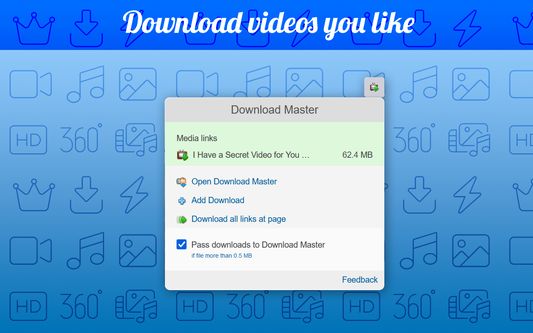
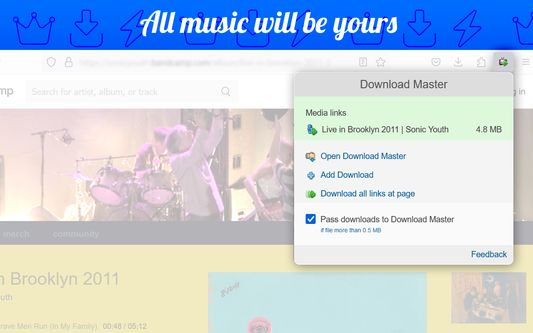
When entering the page with the video clip, if the video service is supported, extension button will be changed. Click on it and select “Download video”, you transfer the movie for download using Download Master*.
If you highlight text on a page, right-click and choose "Find selection on...". You will go directly to the page with the search results where you can download your files.
* The plug-in must be installed on the PC together with Download Master.
Extension adds the ability to download using Download Master* specified file or group of files from the browser's context menu. After installing the plug-in a new section with items "Download link", "Download all links" and "Remote download" is added the context menu of Firefox.
Right-clicking on the link (example link) you will see a menu with 3 new items added:
- Select "Download link" if you want to download the selected file.
- Select "Download all links" if you want to download multiple files located on this page;
- Select "Remote download" if you want to download a file using remote download service.
When entering the page with the video clip, if the video service is supported, extension button will be changed. Click on it and select “Download video”, you transfer the movie for download using Download Master*.
If you highlight text on a page, right-click and choose "Find selection on...". You will go directly to the page with the search results where you can download your files.
* The plug-in must be installed on the PC together with Download Master.
امتیاز ۳٫۵ توسط ۱۸۱ بررسیکننده
دسترسیها و دادهها
دسترسیهای الزامی:
- تبادل پیام با برنامههایی غیر از فایرفاکس
- بارگیری پروندهها و خواندن و ویرایش تاریخچهٔ دانلود مرورگر
- باز کردن فایلهای دریافت شده در رایانه شما
- نمایش اعلانها به شما
- دسترسی به زبانههای مرورگر
- دسترسی به دادههای شما در همهٔ وبسایتها
اطلاعات بیشتر
- پیوندهای افزونه
- نسخه
- 3.1.10resigned1
- اندازه
- ۲۱۱٫۳۸ کیلوبایت
- آخرین بهروزرسانی
- ۲ سال پیش (۲۵ آوریل ۲۰۲۴)
- دستهبندیهای مرتبط
- تاریخچهٔ نسخهها
- افزودن به مجموعه