DNS Report by DNS Rate DNS Rate توسط
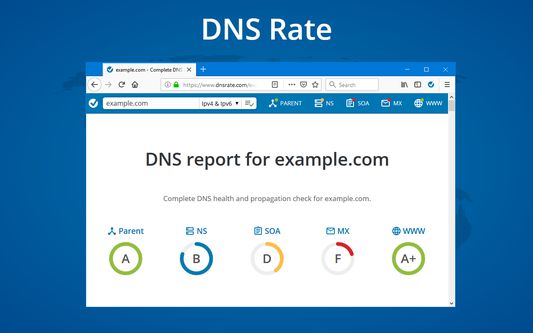
Run DNS report for a domain from a current URL by clicking on extension's icon. Shortcuts to run DNS Report in page, selection and link contexts menus.
۱۴ کاربر۱۴ کاربر
فرادادهٔ افزونه
تصاویر صفحه
دربارهٔ این افزونه
Check domain in the current URL:
- Click on DNS Rate icon on the right side of the address bar will run IPv4 and IPv6 DNS Report.
- Right-click anywhere on a page and click on DNS Rate
- If you want to run IPv4 or IPv6 only test, right click on extension's icon and click on the desired test
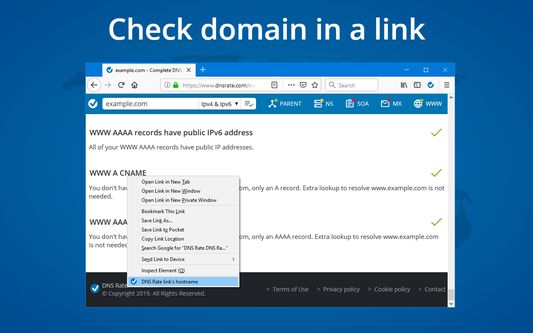
Check domain in a link:
- Right-click on a link and click on DNS Rate link's hostname
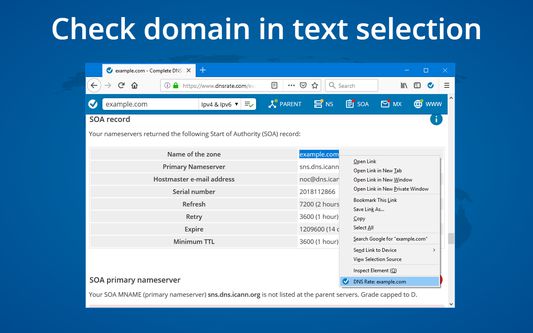
Check domain in text selection:
- Right-click on text selection with a domain name and click on DNS Rate menu item
Required permissions:
activeTab, tabs - check current domain
contextMenus - create context menus
storage - save user preferences
content scripts - search domains in text selection
DNS Rate does not and will never track your browsing history
- Click on DNS Rate icon on the right side of the address bar will run IPv4 and IPv6 DNS Report.
- Right-click anywhere on a page and click on DNS Rate
- If you want to run IPv4 or IPv6 only test, right click on extension's icon and click on the desired test
Check domain in a link:
- Right-click on a link and click on DNS Rate link's hostname
Check domain in text selection:
- Right-click on text selection with a domain name and click on DNS Rate menu item
Required permissions:
activeTab, tabs - check current domain
contextMenus - create context menus
storage - save user preferences
content scripts - search domains in text selection
DNS Rate does not and will never track your browsing history
امتیاز ۵ توسط ۱ بررسیکننده
دسترسیها و دادهها
اطلاعات بیشتر
- پیوندهای افزونه
- نسخه
- 0.9.6.3resigned1
- اندازه
- ۳۸٫۱۲ کیلوبایت
- آخرین بهروزرسانی
- ۲ سال پیش (۲۶ آوریل ۲۰۲۴)
- دستهبندیهای مرتبط
- مجوز
- تمامی حقوق محفوظ است
- تاریخچهٔ نسخهها
- افزودن به مجموعه