
TabSweeper por freekvdp
Close all the tabs that match the url(s) that you want, in a single click.
1 usuario1 usuario
Metadata de la extensión
Capturas de pantalla
Sobre esta extensión
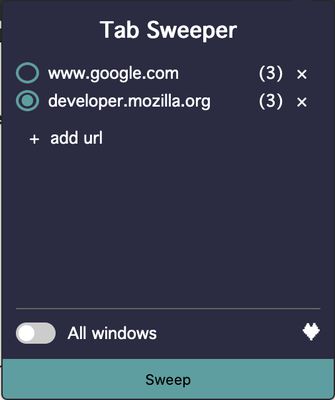
This add-on is meant to help people that tend to keep many tabs open. Say, you always open a new tab when you want to start a new search ("www.google.com" for example). Use this add-on to clear all the google.com tabs in one click.
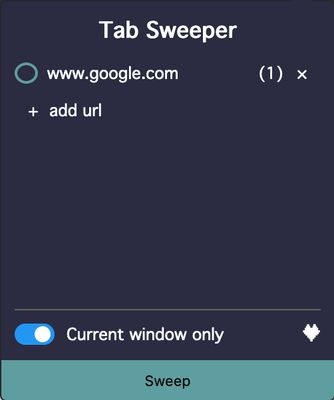
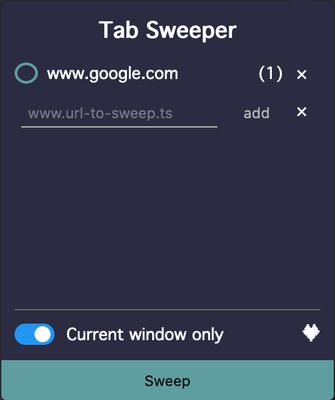
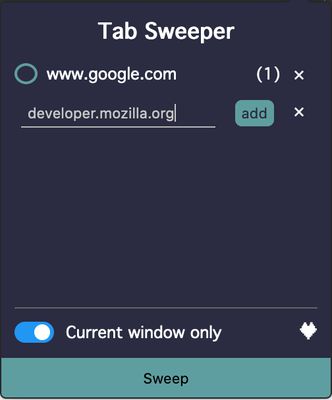
* Open the add-on window and add the url of the tabs that you want to close (www.google.com)
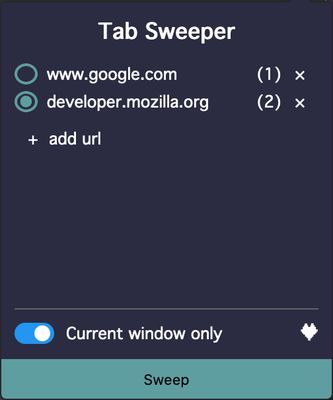
* The amount of currently opened tabs with that same url will show in the badge of the add-on icon.
* On the bottom of the page you get the option to clear the tabs of the window that's currently open or of all the windows of the browser.
* To Sweep (clear) the tabs, click on the Sweep-button on the bottom side of the page.
Tip: an url can be given without the subdomain (www). In case of google.com, not only www.google.com will be targeted but also "docs.google.com" or "translate.google.com". To avoid this, specify the subdomain ("www.google.com" instead of "google.com")
* Open the add-on window and add the url of the tabs that you want to close (www.google.com)
* The amount of currently opened tabs with that same url will show in the badge of the add-on icon.
* On the bottom of the page you get the option to clear the tabs of the window that's currently open or of all the windows of the browser.
* To Sweep (clear) the tabs, click on the Sweep-button on the bottom side of the page.
Tip: an url can be given without the subdomain (www). In case of google.com, not only www.google.com will be targeted but also "docs.google.com" or "translate.google.com". To avoid this, specify the subdomain ("www.google.com" instead of "google.com")
Calificado 0 por 0 revisores
Permisos y datos
Más información
- Versión
- 1.0.1
- Tamaño
- 82,33 KB
- Última actualización
- hace 5 años (9 de feb. de 2021)
- Categorías relacionadas
- Licencia
- Licencia pública de Mozilla 2.0
- Historial de versiones
- Añadir a la colección