
BlockDistraction – Block Site Extension por MarkAlexI
Effortlessly block and redirect websites with customizable rules to stay focused and productive.
2.022 usuarios2.022 usuarios
Metadata de la extensión
Capturas de pantalla

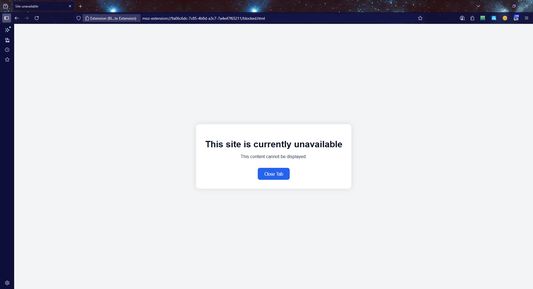


Sobre esta extensión
Block YouTube, Reddit, and any distracting website in seconds.
BlockDistraction helps you stay focused and productive by simply blocking distracting websites. With easy-to-use rules, you can block sites or redirect them to useful destinations in seconds. Lightweight, reliable, and hassle-free, BlockDistraction automatically syncs your rules across all devices signed into your account. Keep your browsing under control so you can work, study, or relax without distractions. Download it today and take charge of your online focus!
Note: This extension offers a free version with essential blocking features. Advanced features like unlimited scheduled blocking, password protection, statistics and backup rules require a Pro subscription.
Note: BlockDistraction is designed to block distracting URLs and web domains directly in your browser.
BlockDistraction helps you stay focused and productive by simply blocking distracting websites. With easy-to-use rules, you can block sites or redirect them to useful destinations in seconds. Lightweight, reliable, and hassle-free, BlockDistraction automatically syncs your rules across all devices signed into your account. Keep your browsing under control so you can work, study, or relax without distractions. Download it today and take charge of your online focus!
Note: This extension offers a free version with essential blocking features. Advanced features like unlimited scheduled blocking, password protection, statistics and backup rules require a Pro subscription.
Note: BlockDistraction is designed to block distracting URLs and web domains directly in your browser.
Calificado 4,3 por 25 revisores
Permisos y datos
Permisos requeridos:
- Acceder a las pestañas del navegador
Permisos opcionales:
- Acceder a tus datos para todos los sitios web
Más información
- Enlaces del complemento
- Versión
- 3.7.6
- Tamaño
- 562,28 KB
- Última actualización
- hace 3 días (28 de abr. de 2026)
- Categorías relacionadas
- Licencia
- Licencia MIT
- Historial de versiones
- Etiquetas
- Agregar a la colección
📌 Note: If you open the menu from a blank tab or the Firefox homepage, you may only see the Extensions management page instead of direct access to the extension’s functionality.
How to Block a Resource
"youtube"will block all subdomains of this resource."https://google.com"📌 Note:
- If the redirect URL is left empty, the target site will simply be blocked.
- To modify a rule, delete the old rule and add a new one.