
FindIt-All wót Findit-All
Enjoy a quick and distraction-free search experience
1 wužywaŕ1 wužywaŕ
Metadaty rozšyrjenja
Fota wobrazowki


Wó toś tom rozšyrjenju
Looking to enjoy a rich and fast search experience? Try FindIt-All!
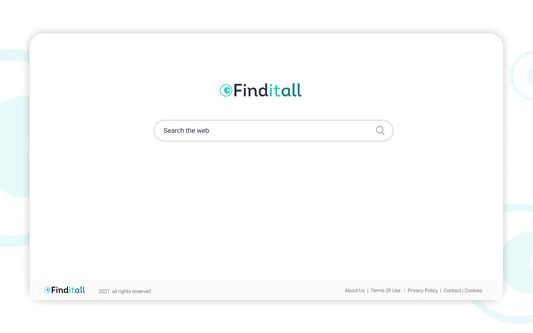
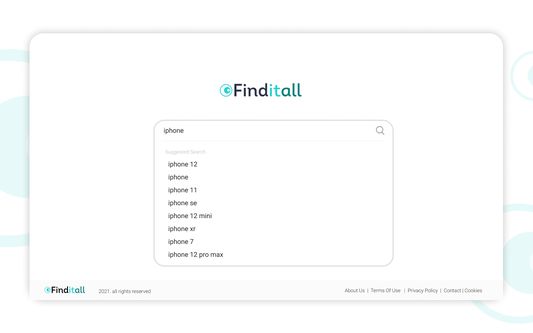
FindItAll - is a distraction-free search extension, offering a search focused experience on the new tab without all the background noise:
Quick access to search
Rich search experience powered by Bing
The Findit-All extension sets your default search provider to Bing.
For easy access, we recommend pinning the extension to your browser toolbar.
The extension requests the following permissions:
Set your new tab page search to FindItAll
Can read and change your data on sites:
https://*.finditall.com/*
By clicking “Add to Firefox”, you accept and agree to install the FindItAll Add-On, set the Firefox™ New Tab and default search to FindItAll, and to the Terms of Use, and Privacy Policy.
Terms of Use: https://www.findit-all.com/terms-of-use
Privacy Policy: https://www.findit-all.com/privacy-policy
You may uninstall the extension at any time.
To remove our extension from Firefox:
1) Click on the three vertical dots icon in the upper right-hand corner of your Firefox browser.
2) Go to "Settings.”
3) In the left menu that appears, click on "Extensions.”
4) From the list of installed Extensions, locate the extension you would like to uninstall.
5) To remove the extension, click on the "Remove" button, which is to the right of "Details" button (for the extension you wish to uninstall).
6) Close your browser completely and reopen it. The extension should now be removed from your browser.
For assistance from our customer service team, please email us at support@findit-all.com
FindItAll - is a distraction-free search extension, offering a search focused experience on the new tab without all the background noise:
Quick access to search
Rich search experience powered by Bing
The Findit-All extension sets your default search provider to Bing.
For easy access, we recommend pinning the extension to your browser toolbar.
The extension requests the following permissions:
Set your new tab page search to FindItAll
Can read and change your data on sites:
https://*.finditall.com/*
By clicking “Add to Firefox”, you accept and agree to install the FindItAll Add-On, set the Firefox™ New Tab and default search to FindItAll, and to the Terms of Use, and Privacy Policy.
Terms of Use: https://www.findit-all.com/terms-of-use
Privacy Policy: https://www.findit-all.com/privacy-policy
You may uninstall the extension at any time.
To remove our extension from Firefox:
1) Click on the three vertical dots icon in the upper right-hand corner of your Firefox browser.
2) Go to "Settings.”
3) In the left menu that appears, click on "Extensions.”
4) From the list of installed Extensions, locate the extension you would like to uninstall.
5) To remove the extension, click on the "Remove" button, which is to the right of "Details" button (for the extension you wish to uninstall).
6) Close your browser completely and reopen it. The extension should now be removed from your browser.
For assistance from our customer service team, please email us at support@findit-all.com
Z 0 wót 0 pógódnośujucych pógódnośony
Pšawa a daty
Dalšne informacije
- Dodankowe wótzkaze
- Wersija
- 0.0.1
- Wjelikosć
- 41,58 KB
- Slědny raz zaktualizěrowany
- há 5 anos (9 de mar de 2021)
- Pśiswójźbne kategorije
- Licenca
- Wšykne pšawa wuměnjone
- Pšawidła priwatnosći
- Cytajśo pšawidła priwatnosći za toś ten dodank
- Wersijowa historija
- Zběrce pśidaś