Quick Commands von victal
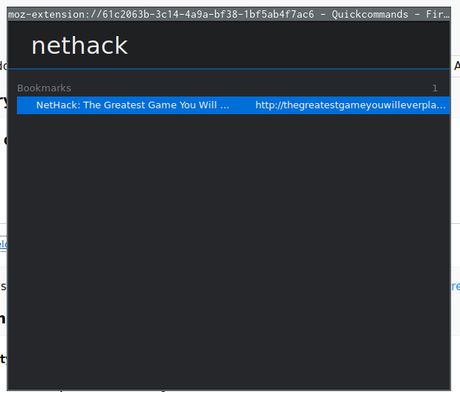
Provides a fast way to search and change between open Tabs or open tabs from History and Bookmarks. Inspired by Vivaldi's Quick Commands (see help.vivaldi.com/article/quick-commands/) Use the shortcut (Alt+Shift+R) to open the menu window.
35 Benutzer35 Benutzer
Metadaten zur Erweiterung
Screenshots
Über diese Erweiterung
<strong>Warning:</strong> This extension is not under active development/maintenance
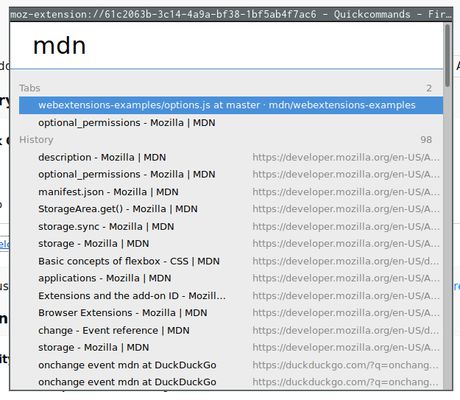
Quick commands is an add-on inspired by Vivaldi's Quick Commands that provides a similar window to search and open existing and former tabs.
<strong>Usage:</strong>
Open the quick-commands window with <code>Alt+Shift+R</code> (customizable via Firefox's "Manage Extension Shortcuts")
Search and browse with the <code>Up/Down Arrows</code>.
Open the selected tab with <code>Enter</code>.
<code>Esc</code> closes the window, and your current shortcut for closing a tab (Ctrl+W/Cmd+W) will work just as well
<strong>Permissions:</strong>
The following permissions are requested upon installation (most are quite self-explanatory):
- tabs: For searching and switching between current open tabs
- history: To be able to search and display links from history
- bookmarks: To be able to search and display links from your bookmarks
- storage: To save your theme preferences (and sync them between devices if you are logged into your Firefox Account)
- search: To add "Search with..." functionality
<strong>Ideas/Suggestions/Bugs:</strong>
This extension is not under active maintenance anymore.
- However, feel free to open a Issue on Github (https://github.com/victal/quickcommands/issues)
Quick commands is an add-on inspired by Vivaldi's Quick Commands that provides a similar window to search and open existing and former tabs.
<strong>Usage:</strong>
Open the quick-commands window with <code>Alt+Shift+R</code> (customizable via Firefox's "Manage Extension Shortcuts")
Search and browse with the <code>Up/Down Arrows</code>.
Open the selected tab with <code>Enter</code>.
<code>Esc</code> closes the window, and your current shortcut for closing a tab (Ctrl+W/Cmd+W) will work just as well
<strong>Permissions:</strong>
The following permissions are requested upon installation (most are quite self-explanatory):
- tabs: For searching and switching between current open tabs
- history: To be able to search and display links from history
- bookmarks: To be able to search and display links from your bookmarks
- storage: To save your theme preferences (and sync them between devices if you are logged into your Firefox Account)
- search: To add "Search with..." functionality
<strong>Ideas/Suggestions/Bugs:</strong>
This extension is not under active maintenance anymore.
- However, feel free to open a Issue on Github (https://github.com/victal/quickcommands/issues)
Bewertet mit 4,4 von 8 Bewertern
Berechtigungen und Daten
Benötigte Berechtigungen:
- Lesezeichen lesen und verändern
- Auf Chronik zugreifen
- Auf Browsertabs zugreifen
Weitere Informationen
- Add-on-Links
- Version
- 1.5.2
- Größe
- 24,4 KB
- Zuletzt aktualisiert
- vor 4 Jahren (10. Aug. 2022)
- Verwandte Kategorien
- Lizenz
- MIT-Lizenz
- Versionsgeschichte
- Zur Sammlung hinzufügen